What's new in October
A supplements list on the Nutrition tab, a weight chart in the review, and the Coaching Timeline changes coaches asked for in September.
In this post
Here's what changed in Tyzra at the end of September and the start of October. Most of it came from coaches telling us what got in their way.
A supplements list for each client
Each client's Nutrition tab now has a supplements list: a name, an amount, when to take it and any instructions. Clients see it under their meal plan. When you add or change a supplement, you can highlight the change so the client sees what's new, or save it quietly.
A weight chart in the review
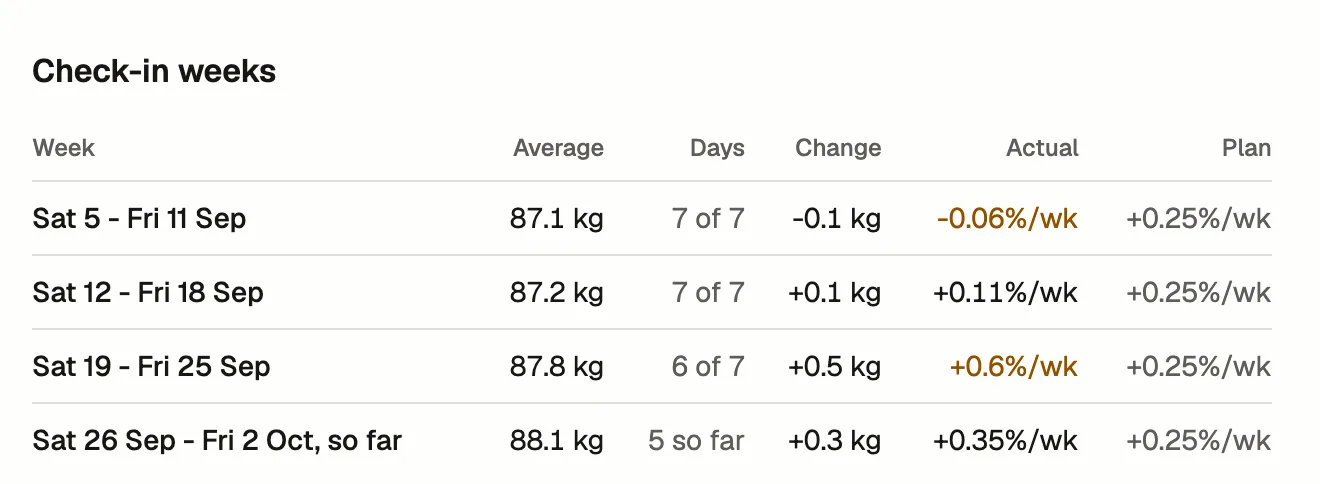
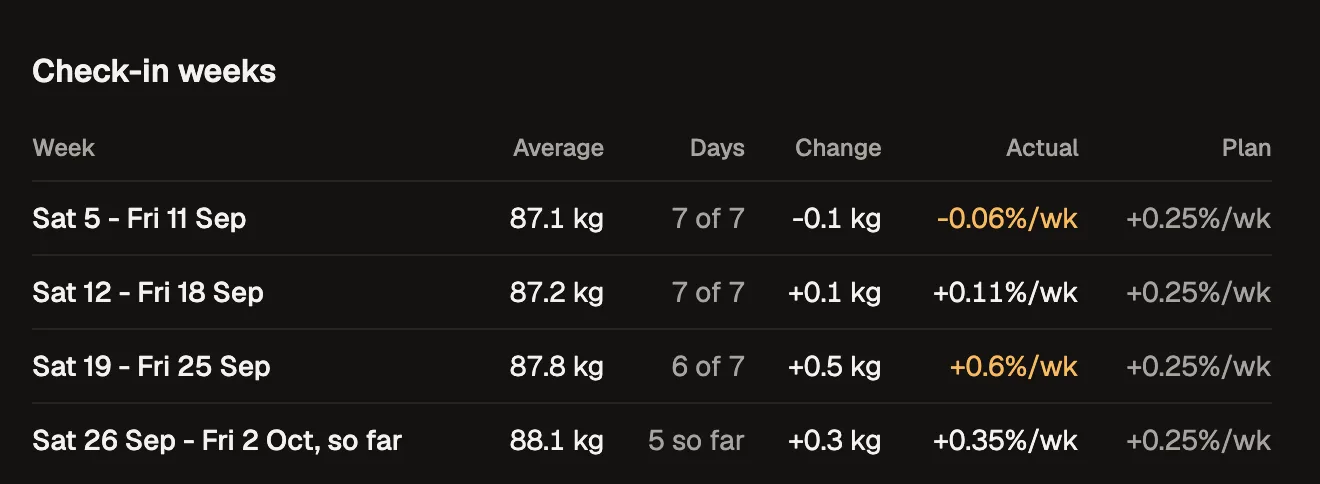
The check-in review and the client's Progress tab now share one weight chart. It shows the daily weigh-ins or weekly averages against the plan's rate, with the check-in's week marked. The review's weight headline is the average for the check-in week, the same seven days a spreadsheet averages.
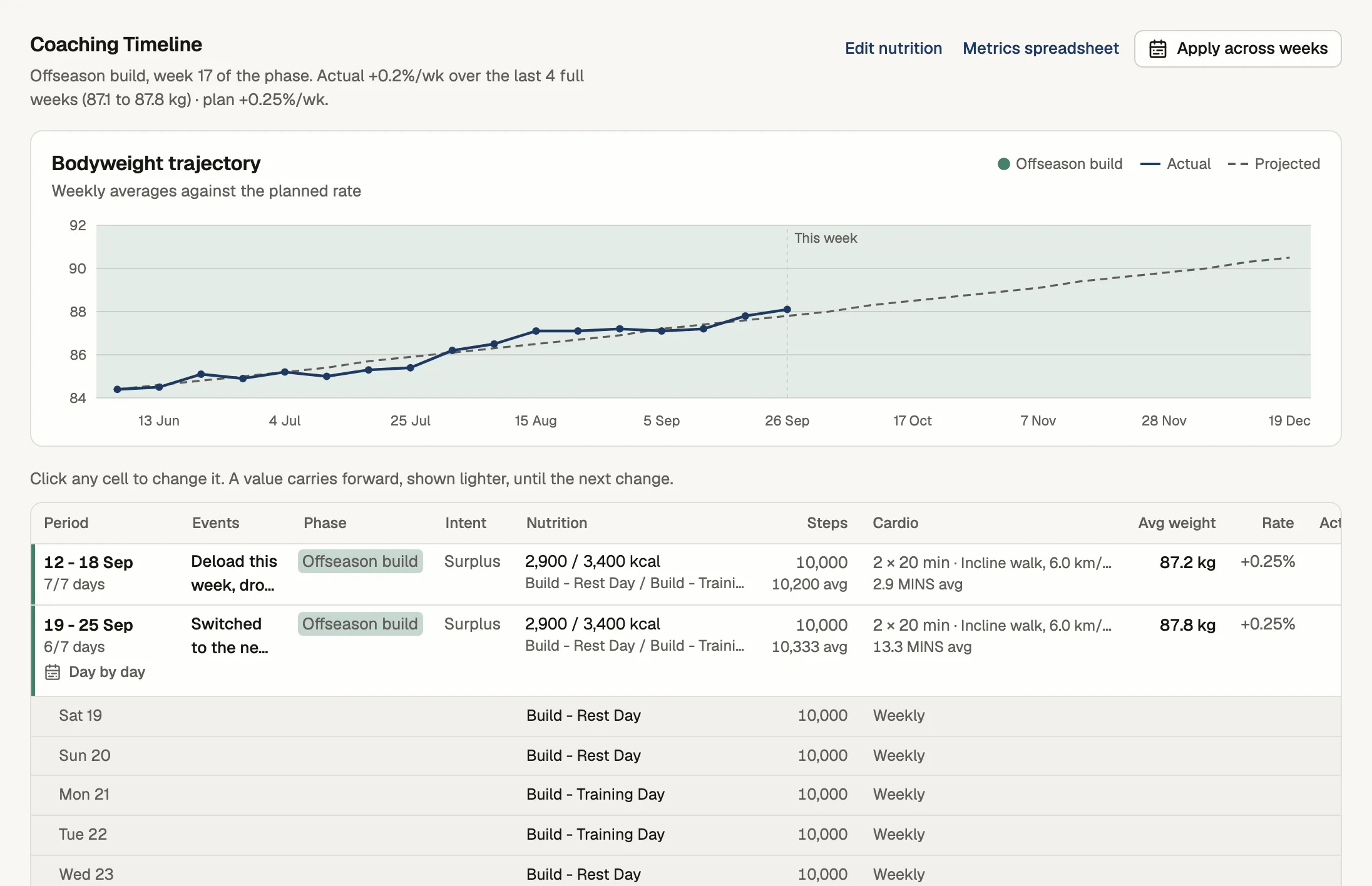
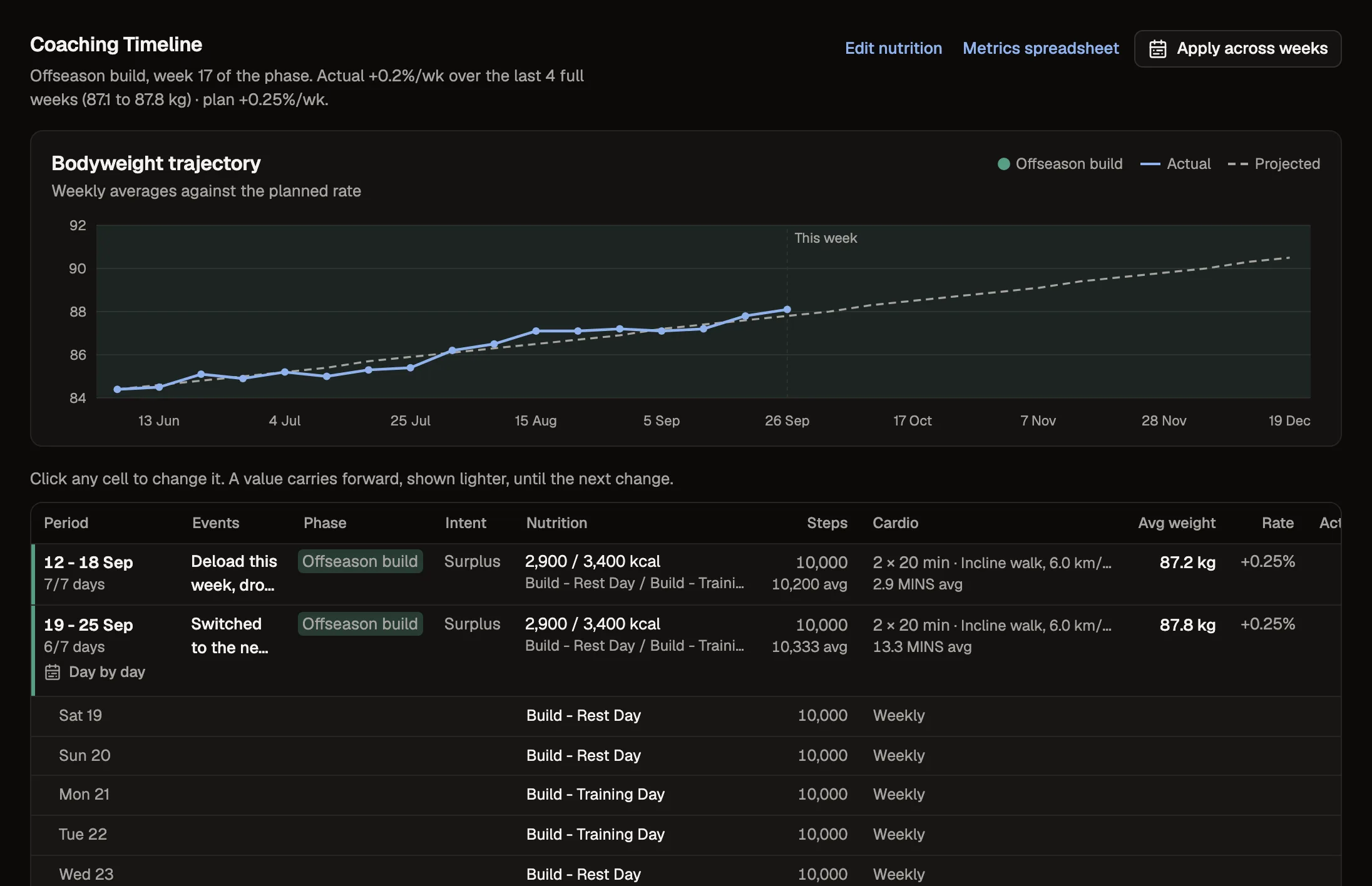
The Coaching Timeline
- Rows are tighter, so about 12 weeks fit on a laptop screen at once.
- Each phase has its own colour, on the grid and on the weight chart.
- With more than two nutrition plans in a week, the Nutrition column shows the calorie range and a count, and every plan opens on hover or tap.
Meal plans against their targets
On a client's meal plan, a "Meals add up to" row under the targets shows what the meals give for each target as you edit, and flags any that are more than 5% off. One click makes the meals' total the target.
Daily logs
After a client sends a daily log, they see their last 7 days with each day's state: logged, partly logged, started or missing, so they can catch up on the days they missed.
Smaller changes
- Effort: if you haven't set any effort targets, the client's workout menu now says effort is off instead of showing a scale.
- Check-in schedules always have an opening time, by default the start of the due day.
- Daily forms read "Every day" and have no due time.
- You can choose a client's photo poses from the poses they already send.
- You can skip a client's intake, or ask for it again, before they send it.
- Habit ticks stay ticked when a client leaves the page, and a failed save takes the tick back.