Your clients' whole week, in one review.
Your clients log their training, food and check-ins in an app with your logo on it. When a check-in comes in, everything they've done since the last one is on one screen, with your reply box next to it.
Moving from a spreadsheet or another app? We'll move your clients in for you
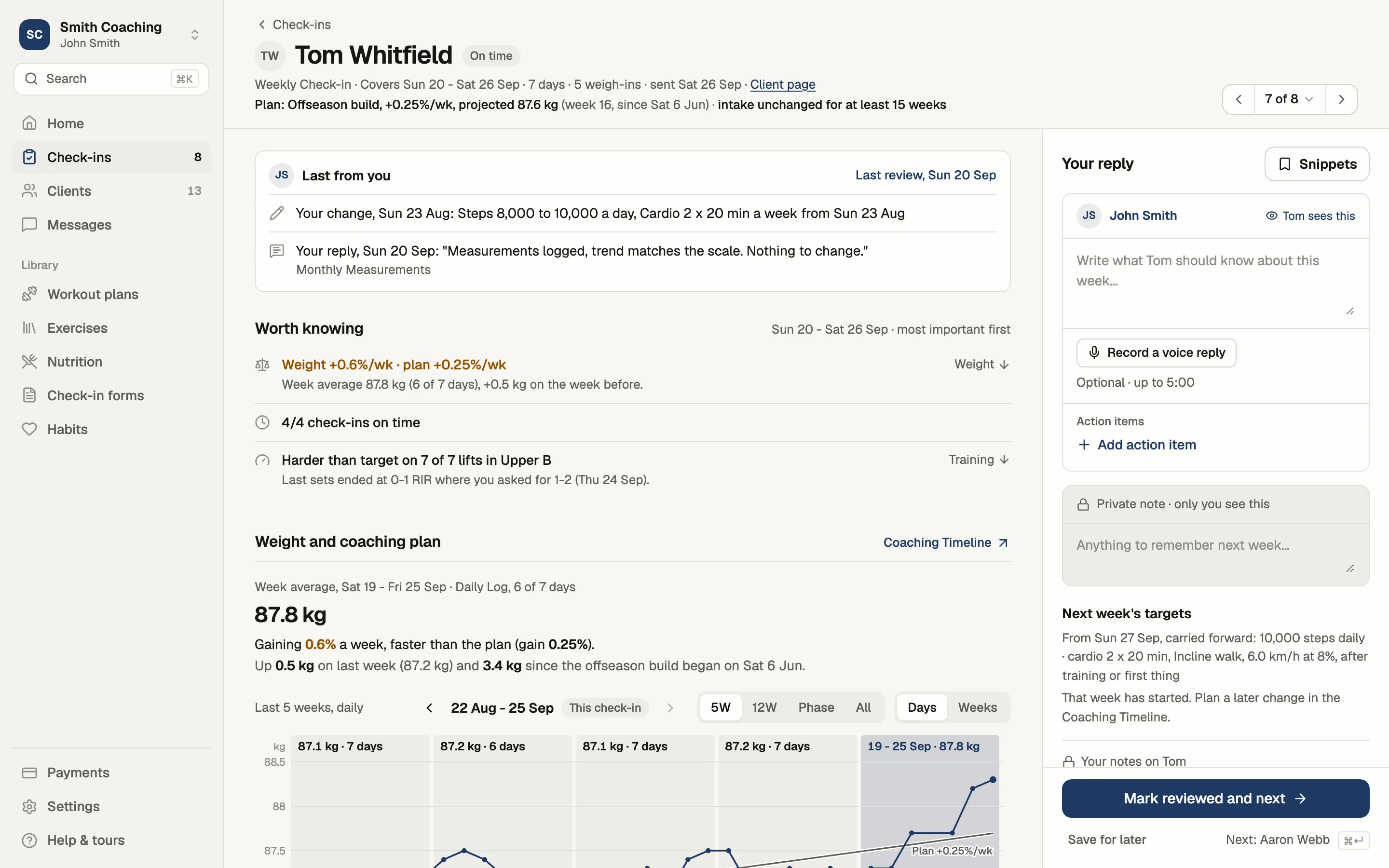
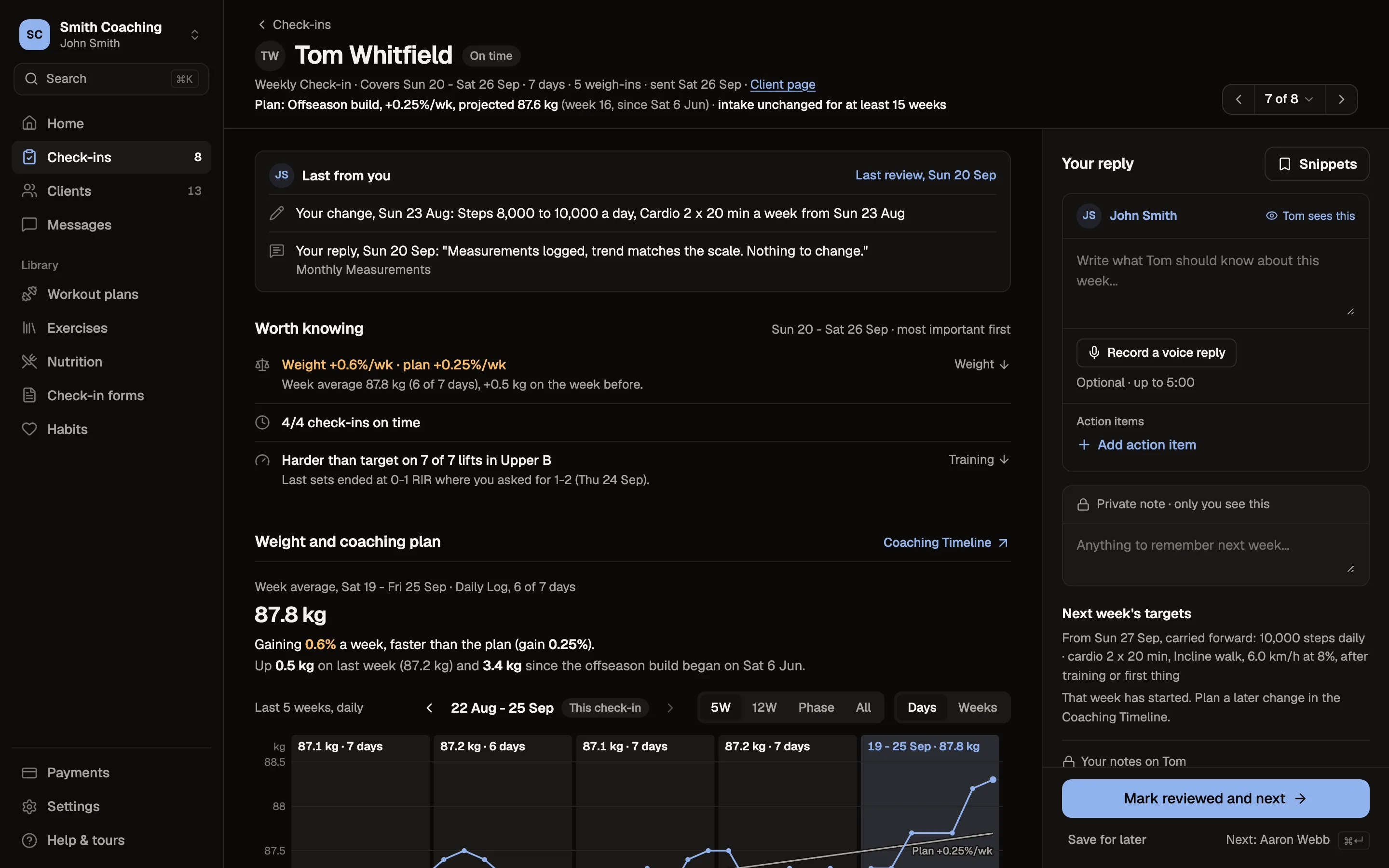
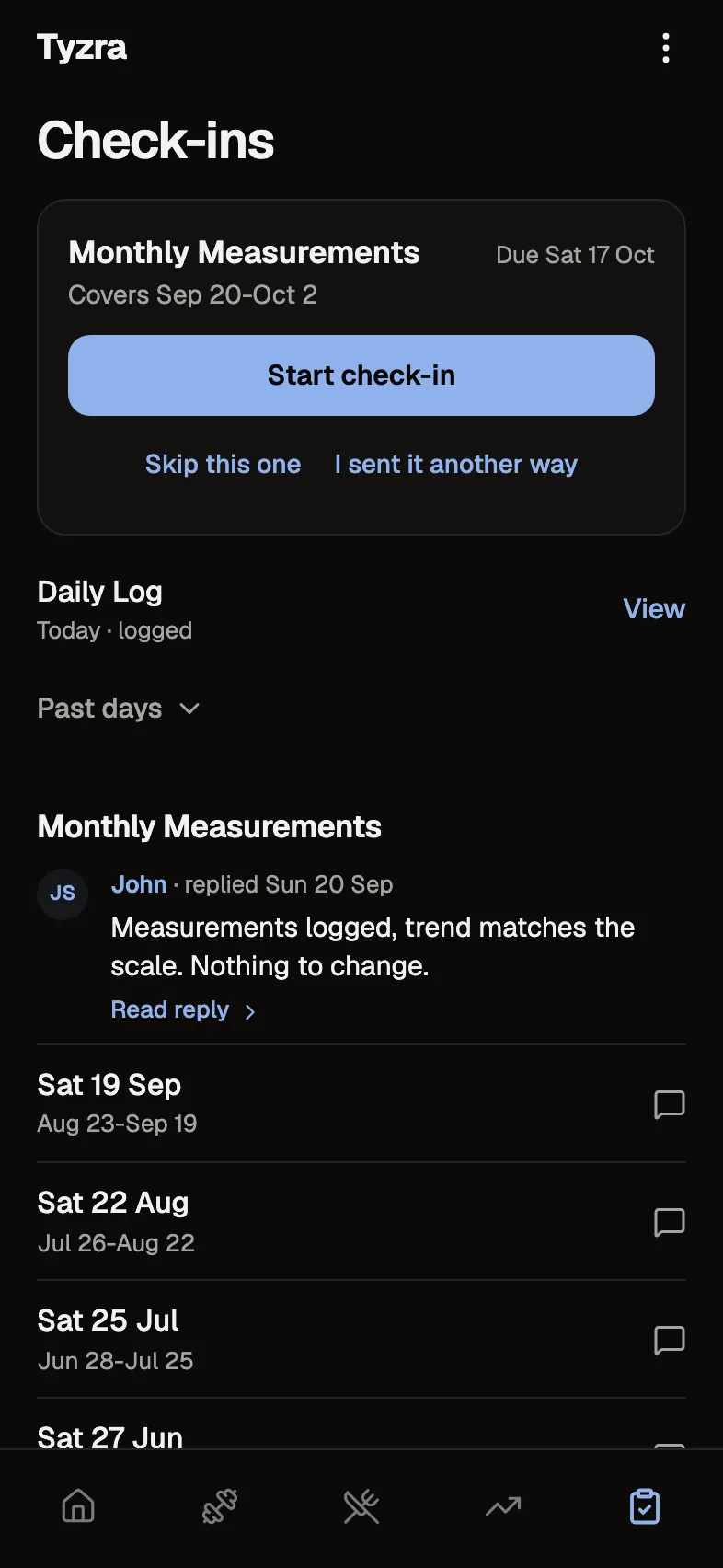
Tom's phone
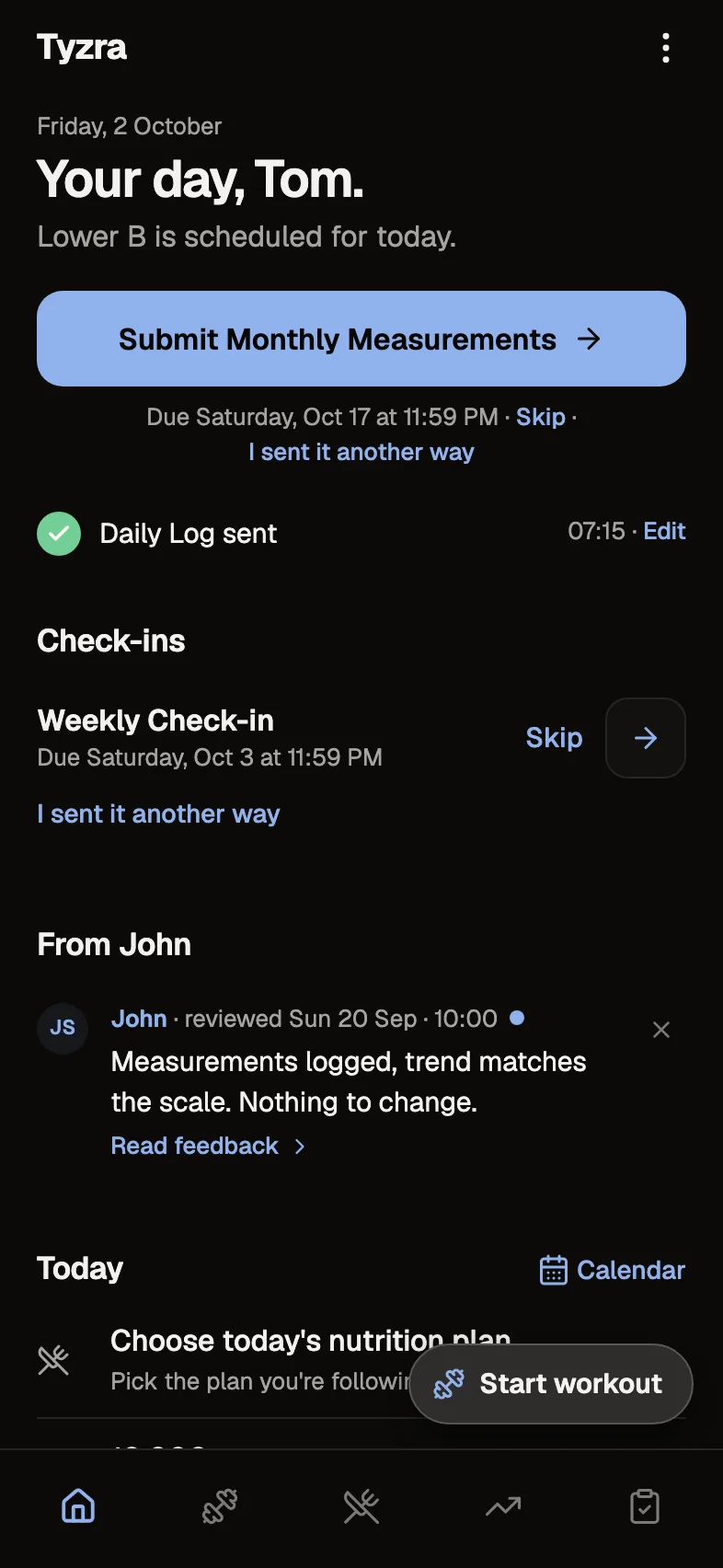
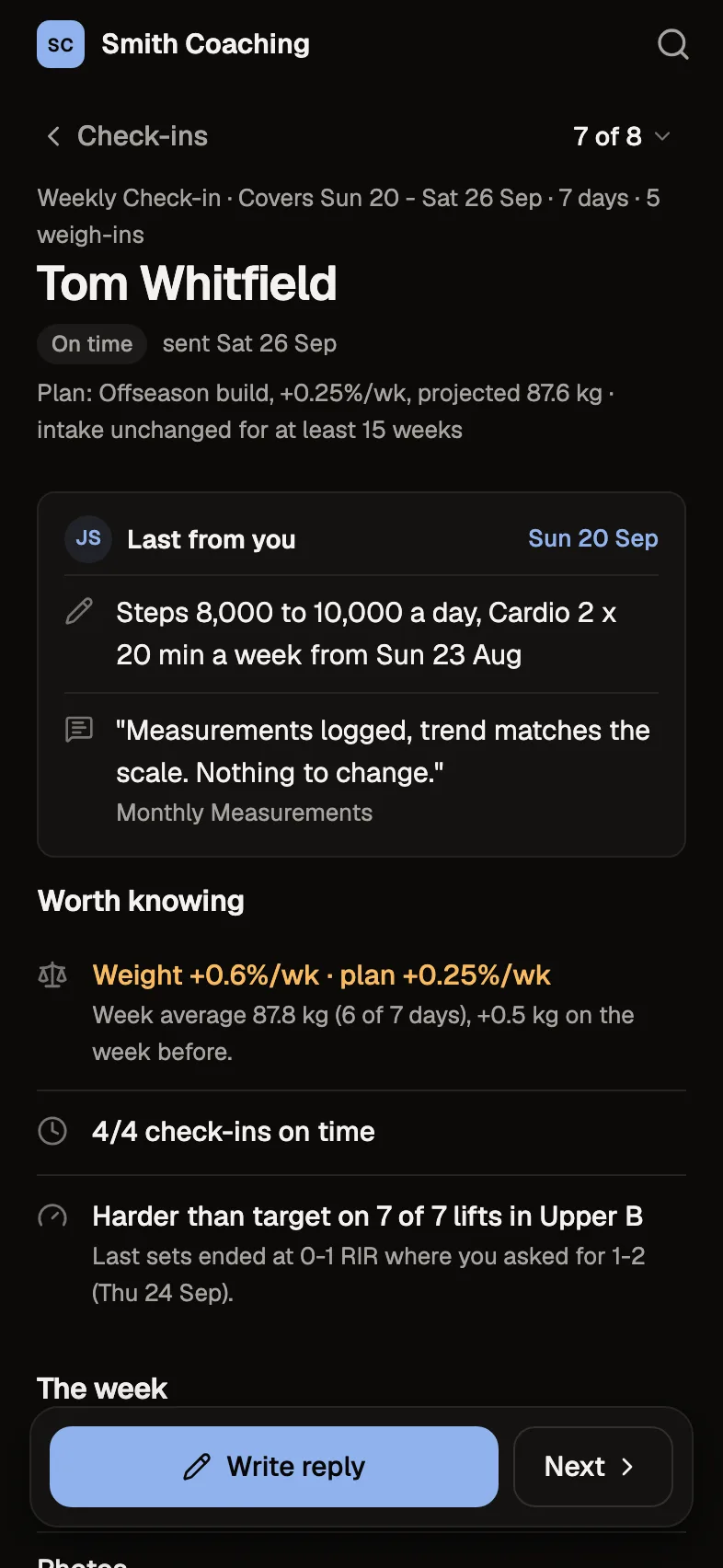
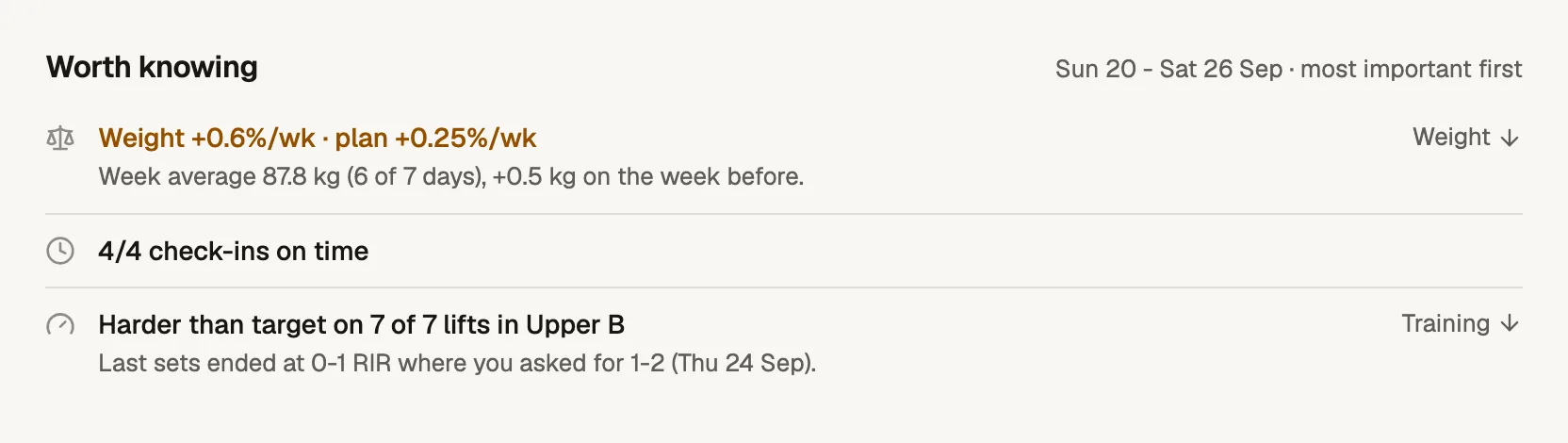
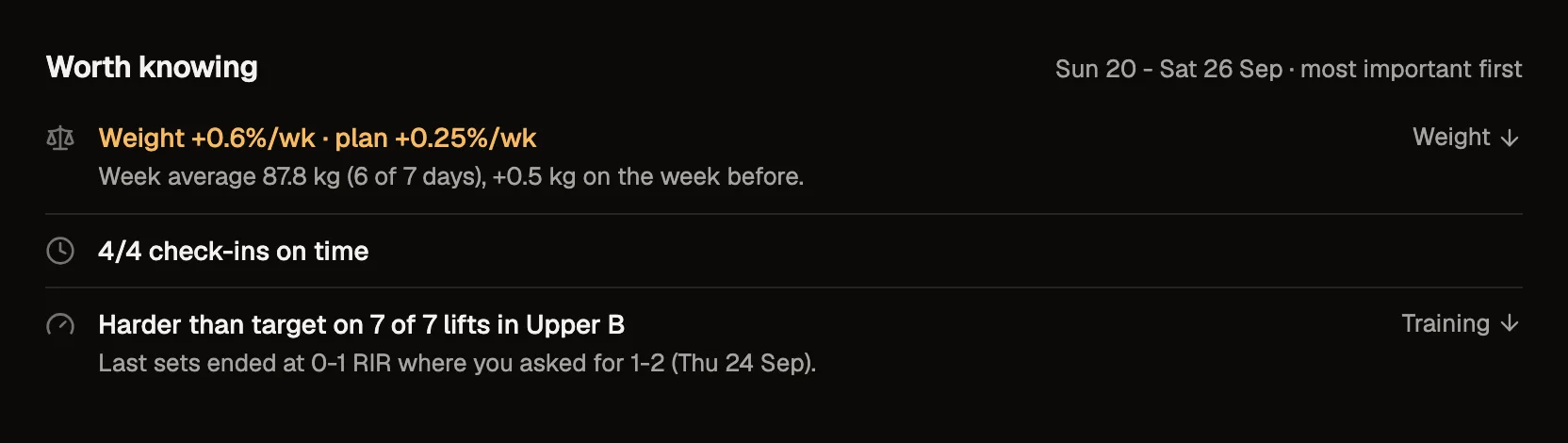
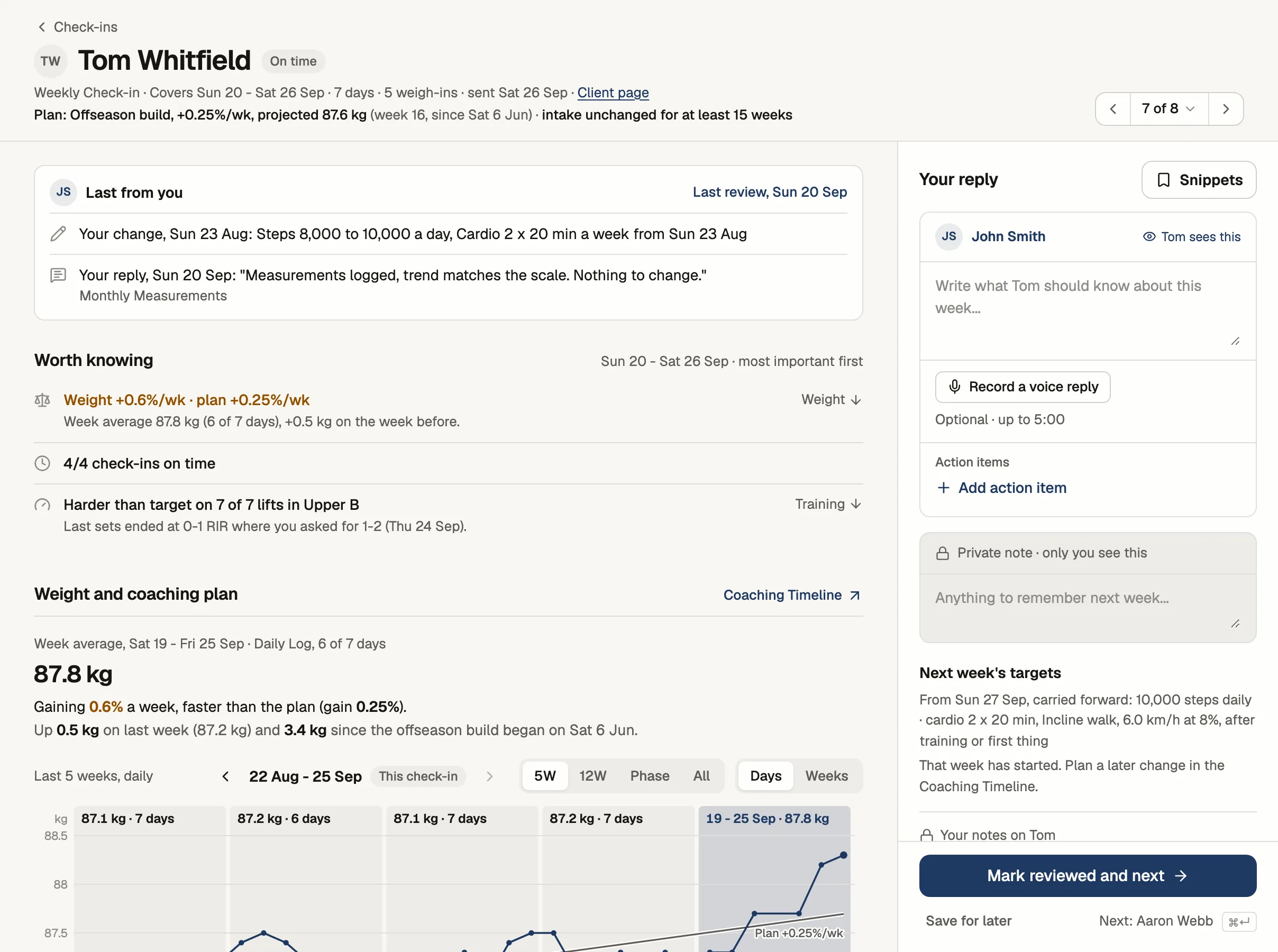
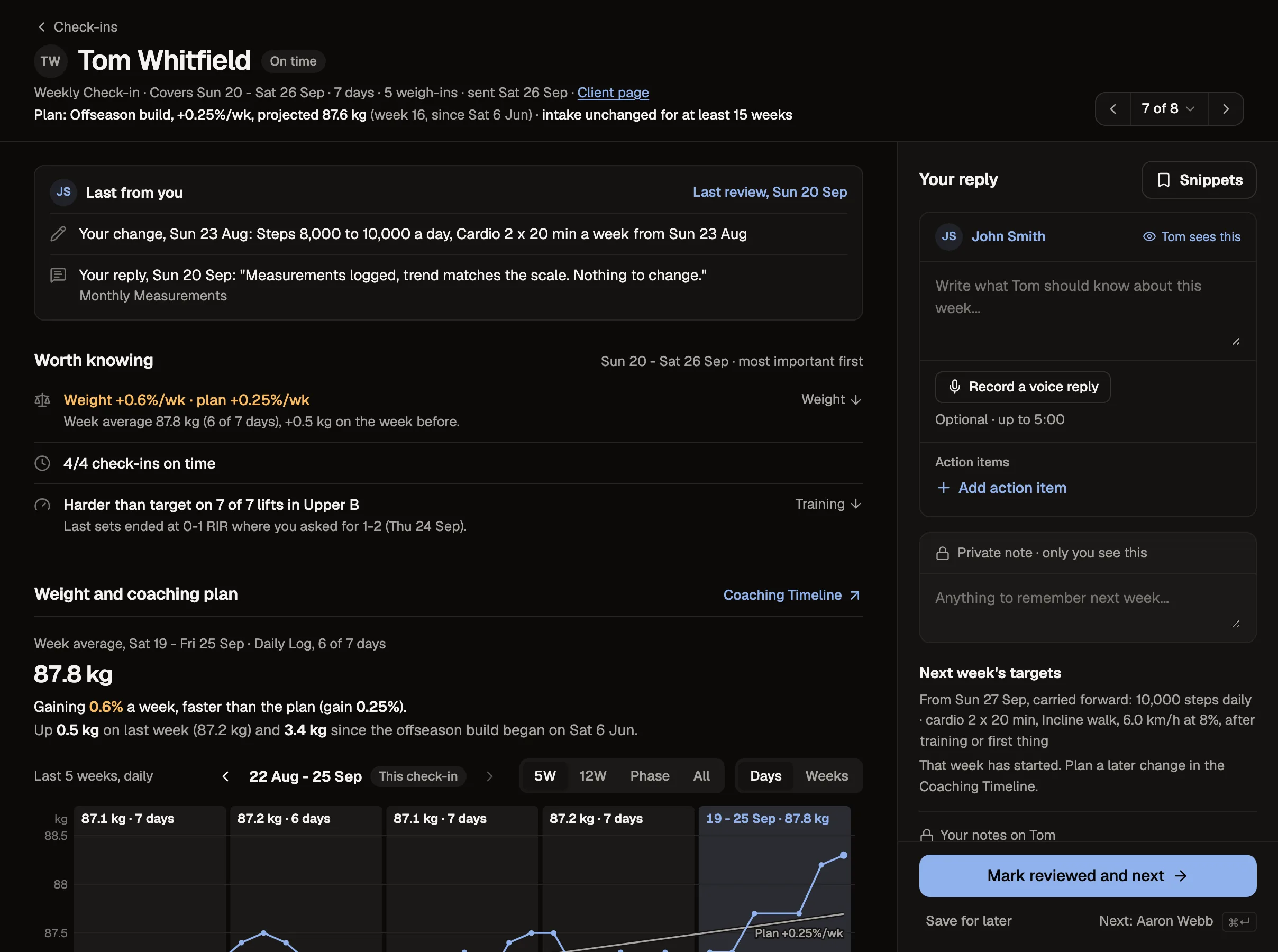
Tom's check-in, as you review it
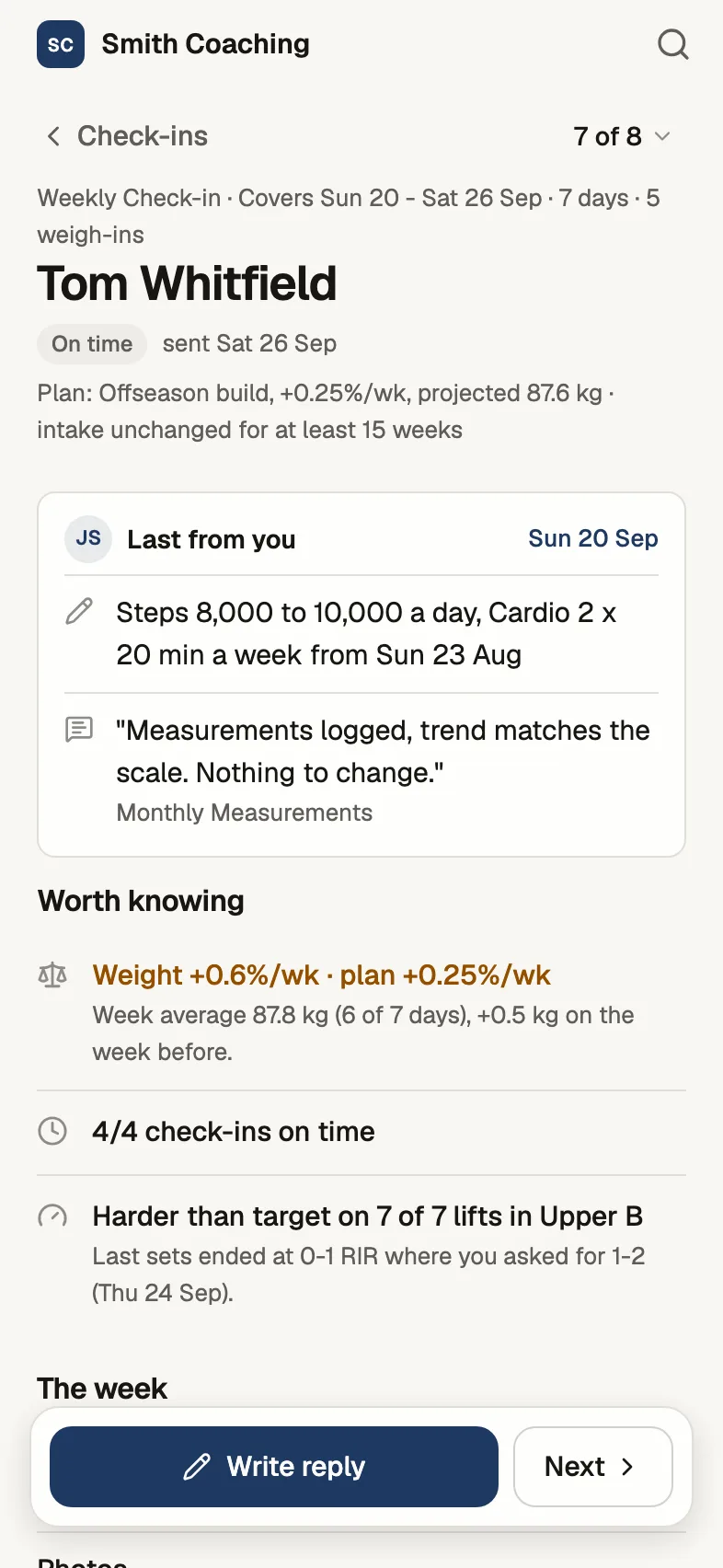
Your reply, on Tom's phone
Where are you coming from?
Pick the one that sounds like you. We ask the same question when you sign up, and your setup list starts with these steps.
Programs, macros or check-ins live in a spreadsheet
- 1Bring your clients over from your sheets
Import each client's workbook, or share it with us and we'll do it. Invite them once it's all in.
- 2Set up your weekly check-in
Your usual weekly questions. Your daily tracker becomes its own check-in when you import it.
- 3Choose how clients log food
Tick meals off the plan like your sheet, or log food with search and the barcode scanner.
Trainerize, 1FIT, Everfit, HubFit or similar
- 1Move your clients over
Import their export, or send it to us and we'll do it. Invite them once it's all in.
- 2Rebuild your check-in form
Same questions, with trends beside every answer.
- 3Bring your program across
Import a plan spreadsheet, or start from Starter Plan.
Plans go out as files, check-ins come back as messages
- 1Turn your weekly message into a check-in
Clients fill in a form instead of a WhatsApp essay.
- 2Turn a PDF plan into a workout plan
Clients log sets on their phone, and changes come back to you flagged.
- 3Invite your first real client
Everything you built gets attached to the invite.
You train people face to face and want an online side
- 1Be your own first client
Invite yourself with the example setup attached and try a week from the client side.
- 2Put your gym program on their phone
Start from Starter Plan and swap in the lifts you use.
- 3Invite someone you already train
They log between sessions, and you see it before you next train them.
No system yet, or your first few clients
- 1Be your own first client
Invite yourself with the example setup attached and try a week from the client side.
- 2Meet Alex, your example client
Alex Rivera is a demo client loaded with a real week of training, nutrition, and habit data.
- 3Review a check-in
Alex already submitted one. Review it and send feedback.
Show me around first, set up later
- 1Open Alex's week
Training, food, habits and a check-in, as a coach sees them.
- 2Review a check-in
Alex already submitted one. Review it and send feedback.
- 3Be your own first client
Invite yourself with the example setup attached and try a week from the client side.
Google Sheets or ExcelPrograms, macros or check-ins live in a spreadsheet
- 1Bring your clients over from your sheets
Import each client's workbook, or share it with us and we'll do it. Invite them once it's all in.
- 2Set up your weekly check-in
Your usual weekly questions. Your daily tracker becomes its own check-in when you import it.
- 3Choose how clients log food
Tick meals off the plan like your sheet, or log food with search and the barcode scanner.
Another coaching appTrainerize, 1FIT, Everfit, HubFit or similar
- 1Move your clients over
Import their export, or send it to us and we'll do it. Invite them once it's all in.
- 2Rebuild your check-in form
Same questions, with trends beside every answer.
- 3Bring your program across
Import a plan spreadsheet, or start from Starter Plan.
WhatsApp, PDFs and emailPlans go out as files, check-ins come back as messages
- 1Turn your weekly message into a check-in
Clients fill in a form instead of a WhatsApp essay.
- 2Turn a PDF plan into a workout plan
Clients log sets on their phone, and changes come back to you flagged.
- 3Invite your first real client
Everything you built gets attached to the invite.
In person, going onlineYou train people face to face and want an online side
- 1Be your own first client
Invite yourself with the example setup attached and try a week from the client side.
- 2Put your gym program on their phone
Start from Starter Plan and swap in the lifts you use.
- 3Invite someone you already train
They log between sessions, and you see it before you next train them.
Just starting outNo system yet, or your first few clients
- 1Be your own first client
Invite yourself with the example setup attached and try a week from the client side.
- 2Meet Alex, your example client
Alex Rivera is a demo client loaded with a real week of training, nutrition, and habit data.
- 3Review a check-in
Alex already submitted one. Review it and send feedback.
Just having a lookShow me around first, set up later
- 1Open Alex's week
Training, food, habits and a check-in, as a coach sees them.
- 2Review a check-in
Alex already submitted one. Review it and send feedback.
- 3Be your own first client
Invite yourself with the example setup attached and try a week from the client side.
We'll move your clients in for you
Send us the spreadsheets or exports you already use and we'll import each client's history: their weigh-ins, check-in answers, workouts, and photos linked in your sheets. It's free while you're getting started.
- Start free
Create your account. No card needed.
- Send us your sheets
From Clients, drop in the files and tell us which tabs matter, the units and check-in days.
- Check and invite
We email you when they're in. You check each client before anyone is invited.
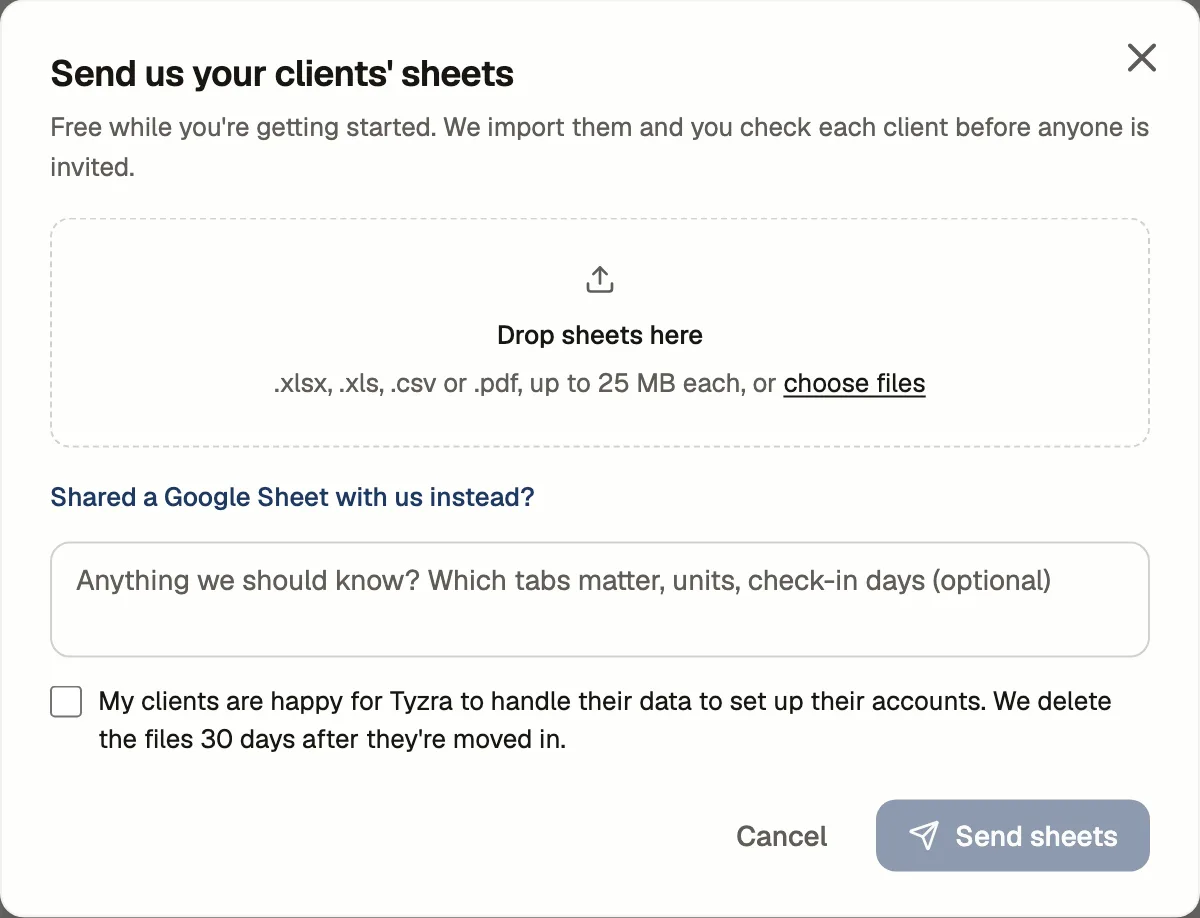
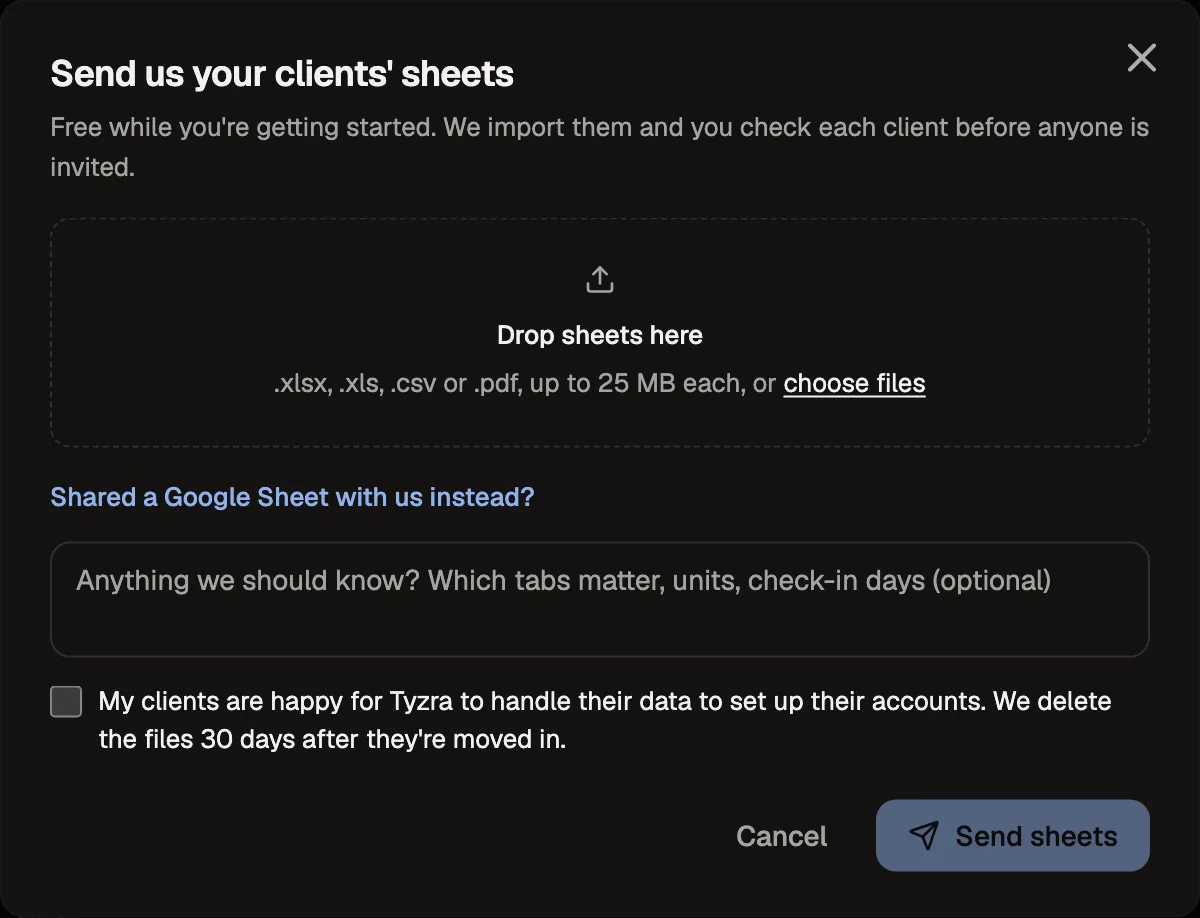
The spreadsheets or exports you already have: .xlsx, .xls, .csv or .pdf, or a Google Sheet shared with us.
The files go to private storage, and we delete them 30 days after your clients are moved in.
You confirm your clients are happy for us to handle their data to set up their accounts.
What a week looks like
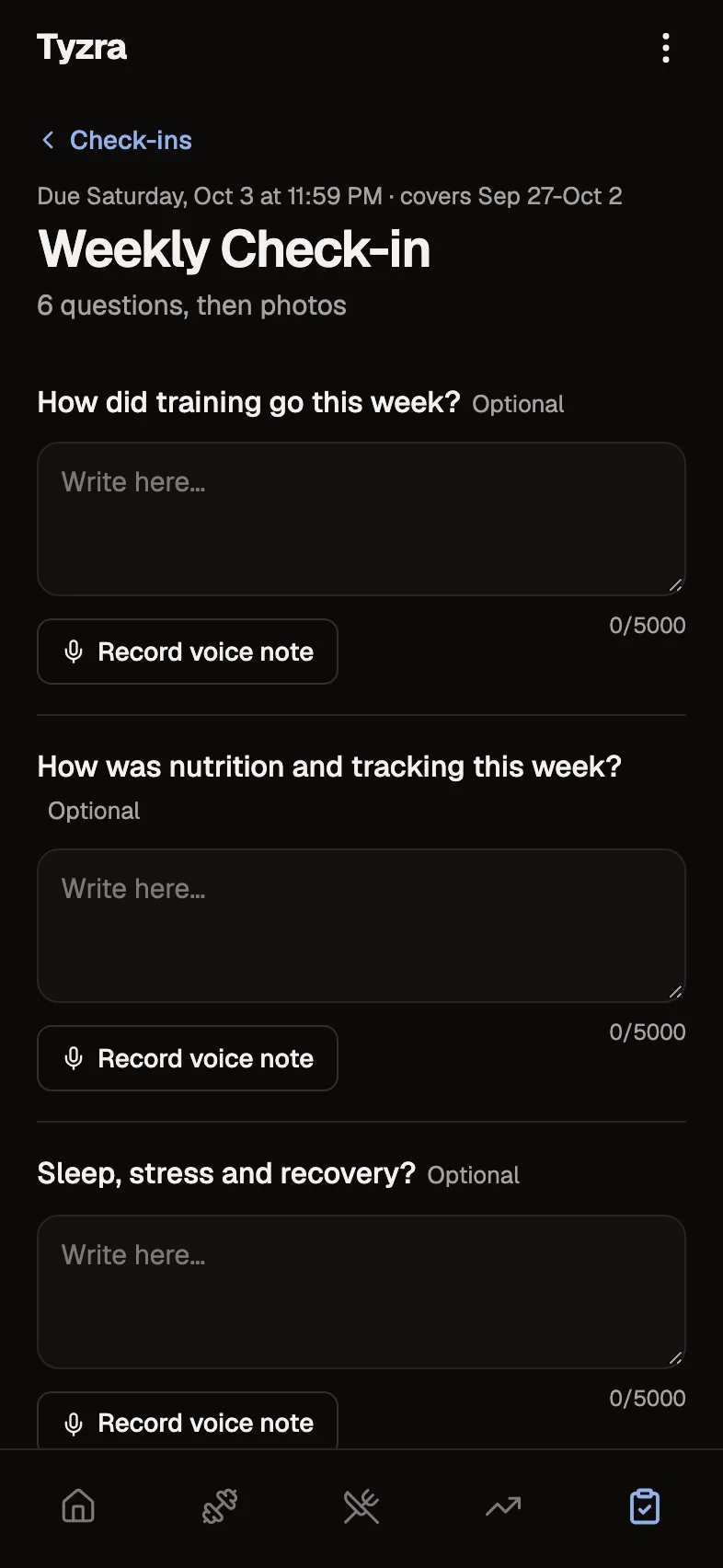
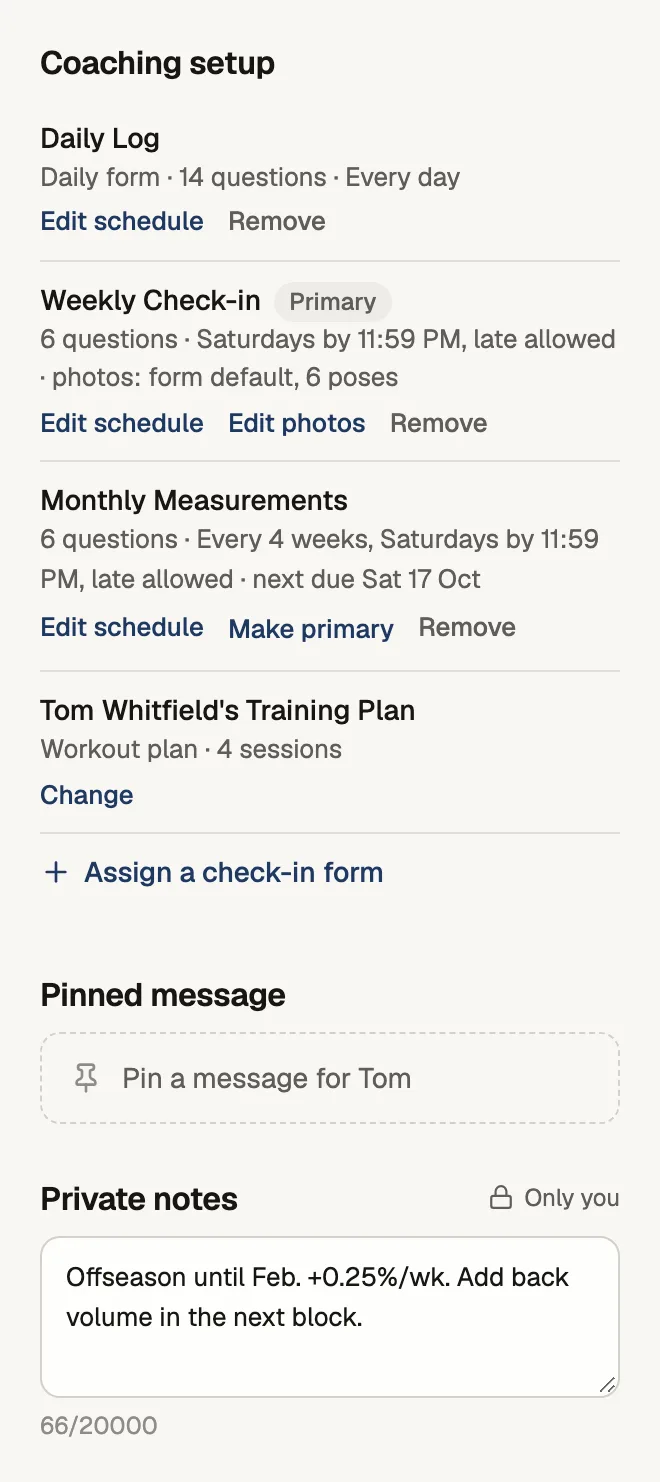
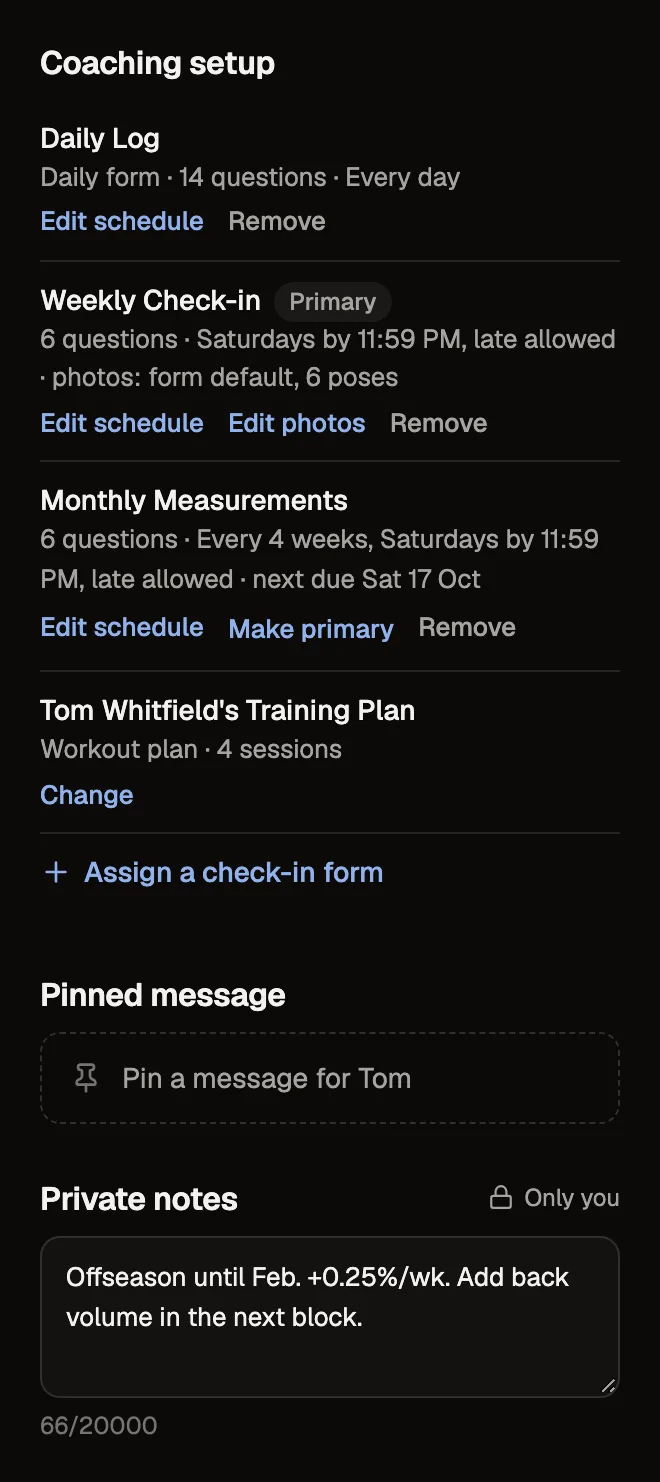
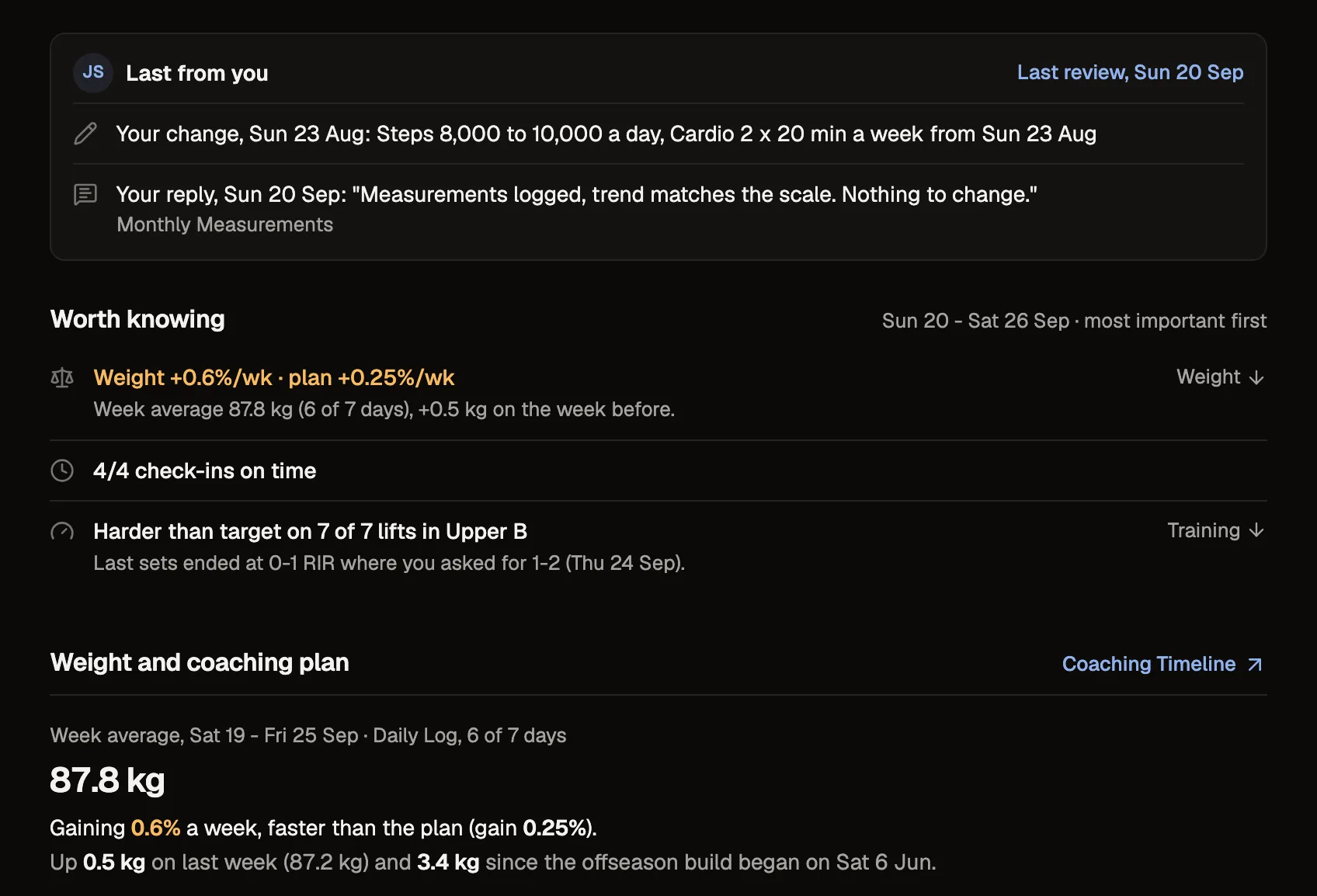
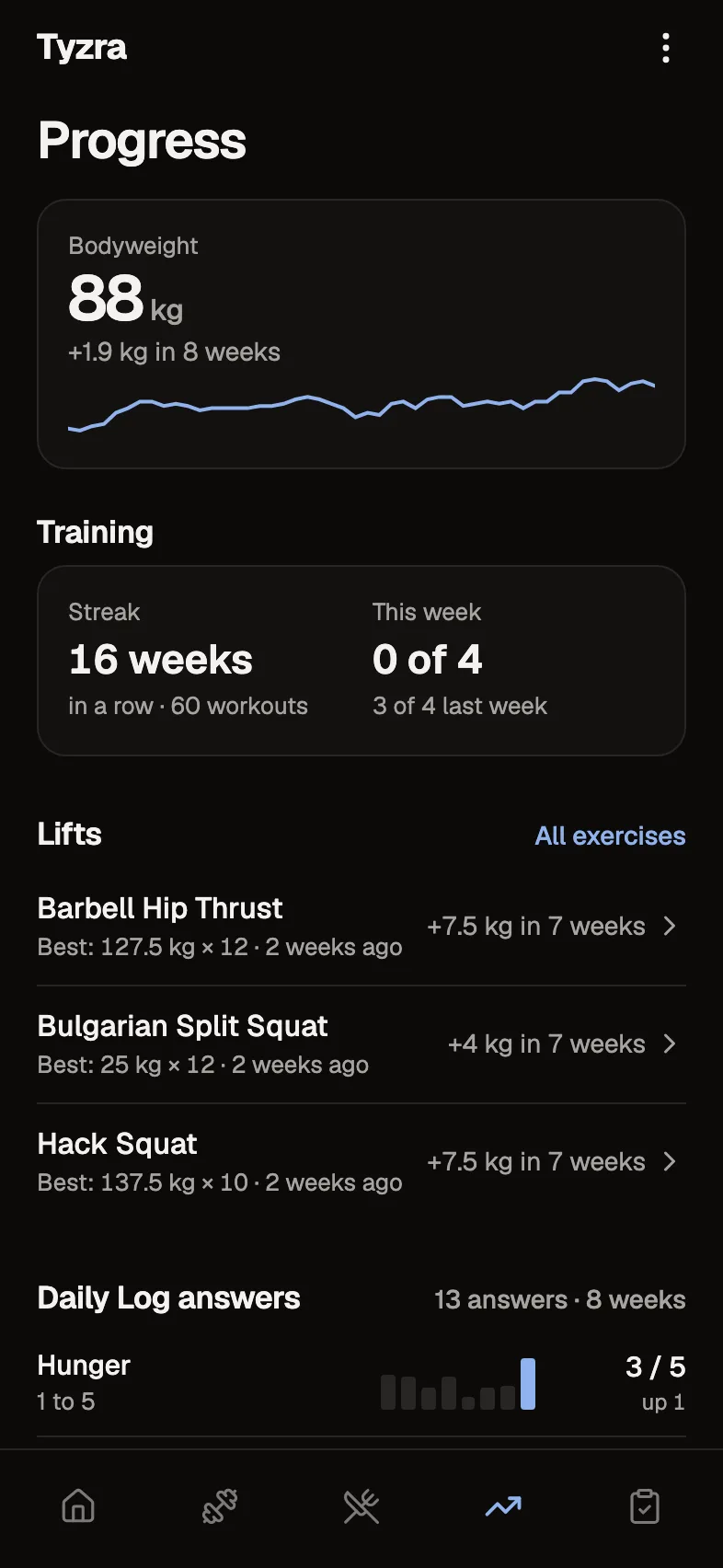
This is Tom, one of the clients on our demo account. Tom trains four times a week, fills in a daily log and sends a check-in every Saturday. Every client can be set up differently.
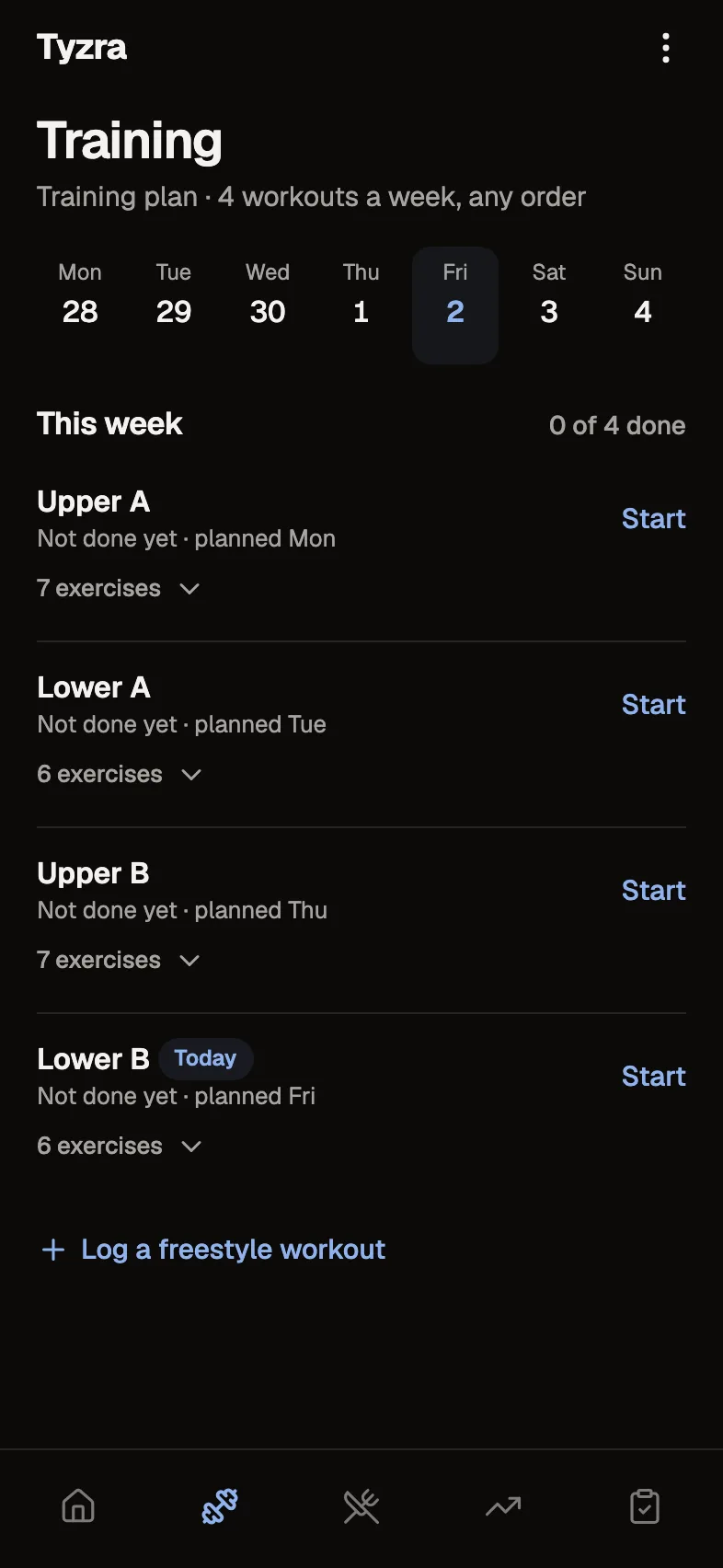
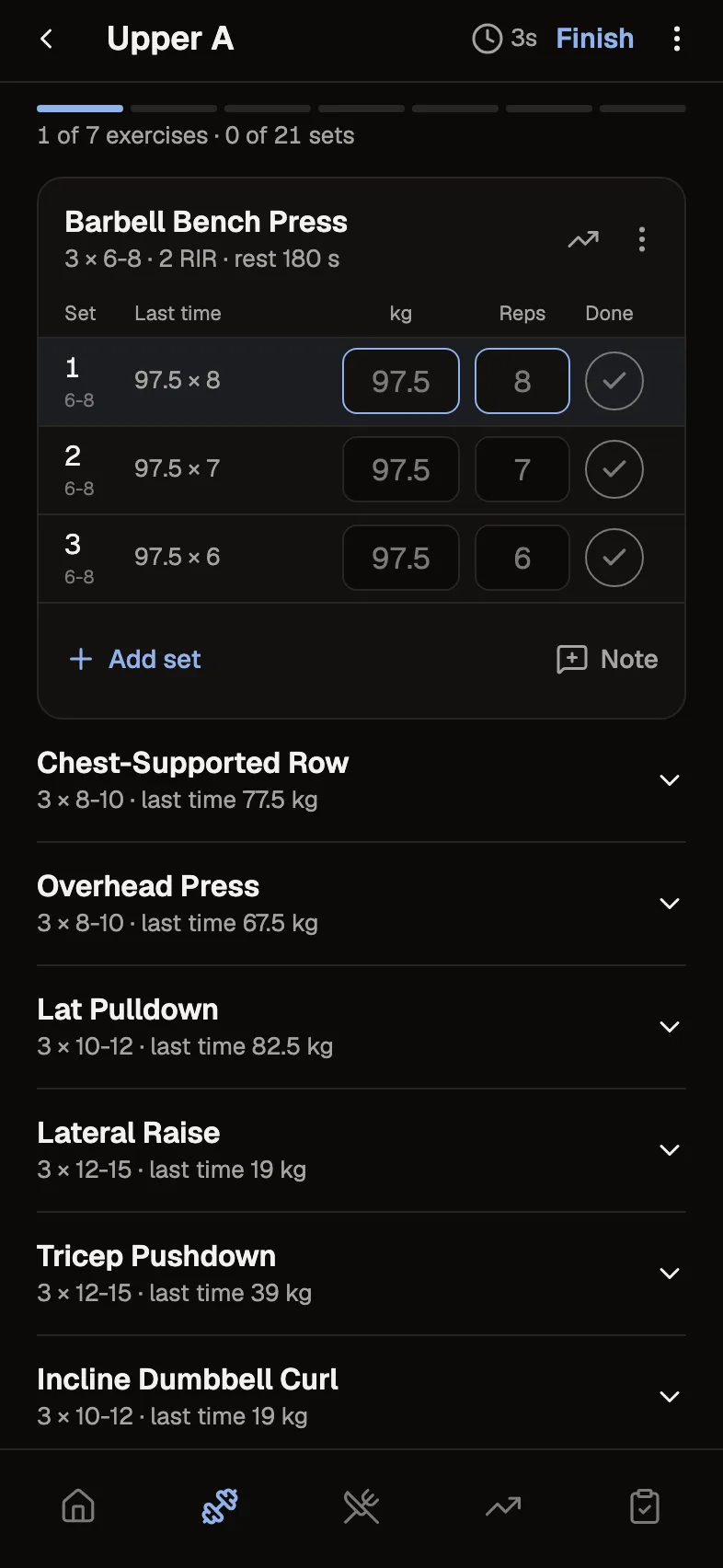
They log their sessions
Tom does four sessions a week in whatever order suits. Each set shows what they lifted last time, so they know what to aim for.
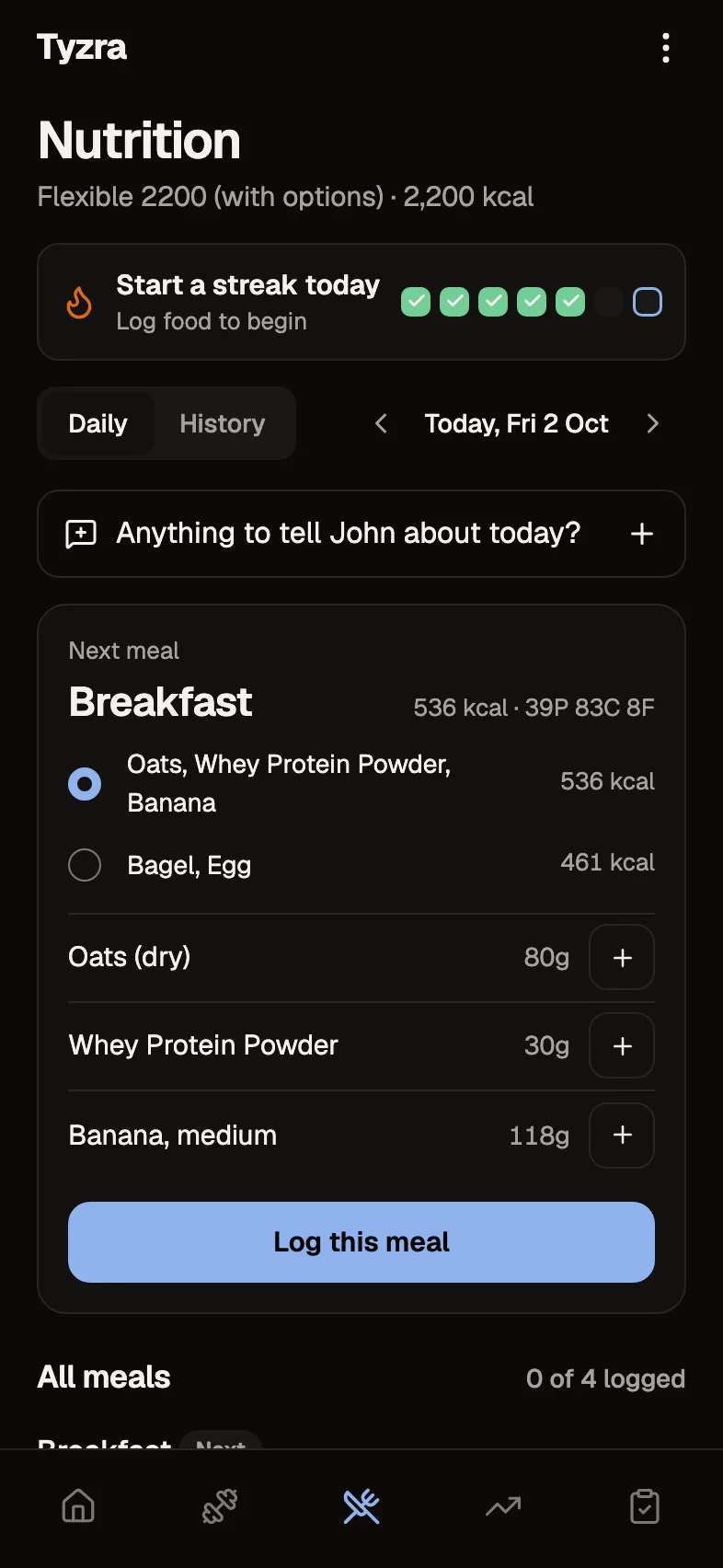
They fill in what you've asked for
For Tom that's a daily log and ticking off meals from the plan. Priya, another client, logs food with the barcode scanner instead.
Their check-in comes in
Tom's is due on Saturday night. Yours might be Sunday, every two weeks or every four weeks. If a client skips one or sends it over WhatsApp, they can say so in the app, so you're not left chasing.
You go through it on one screen
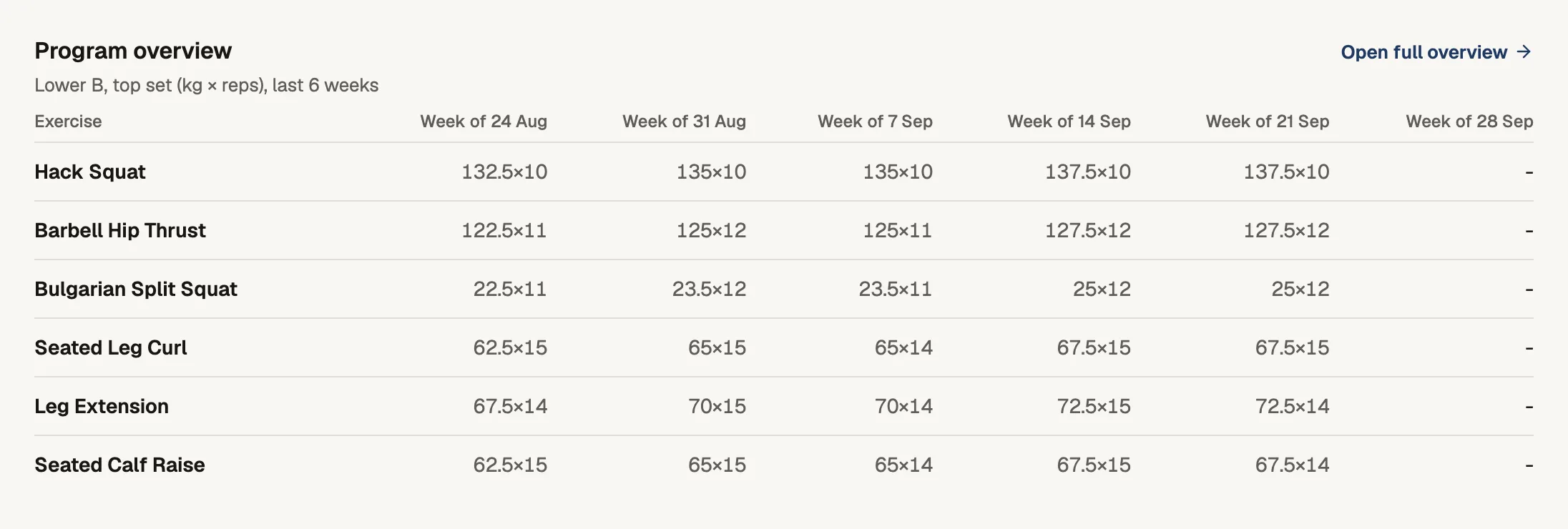
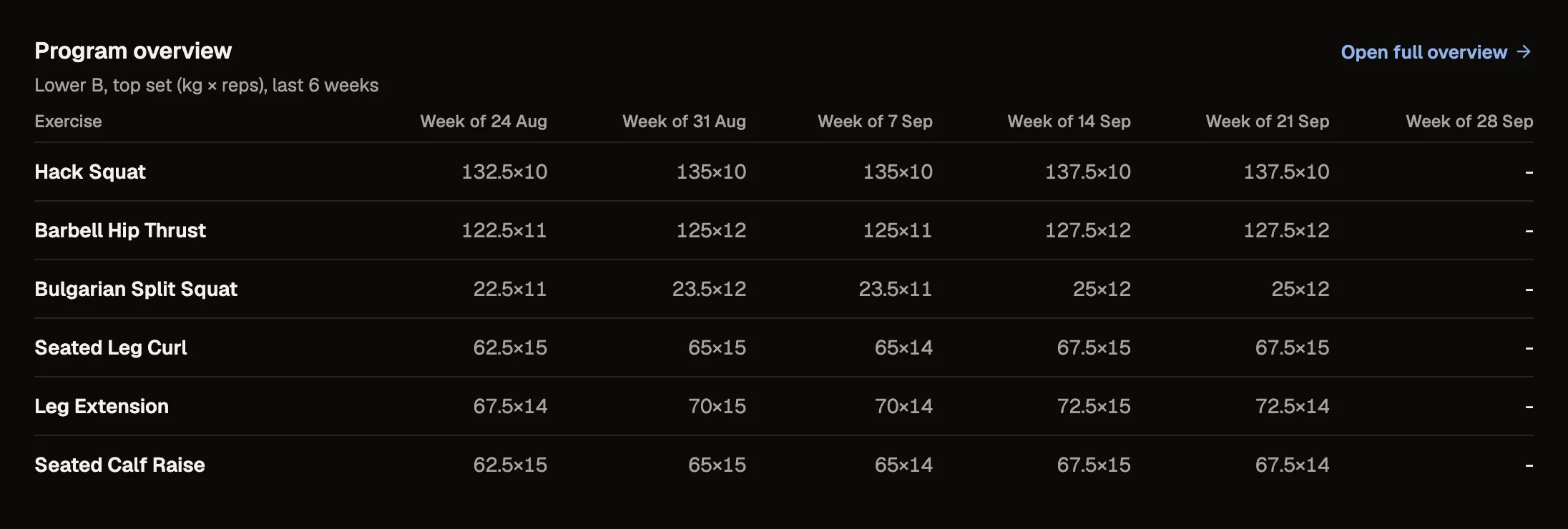
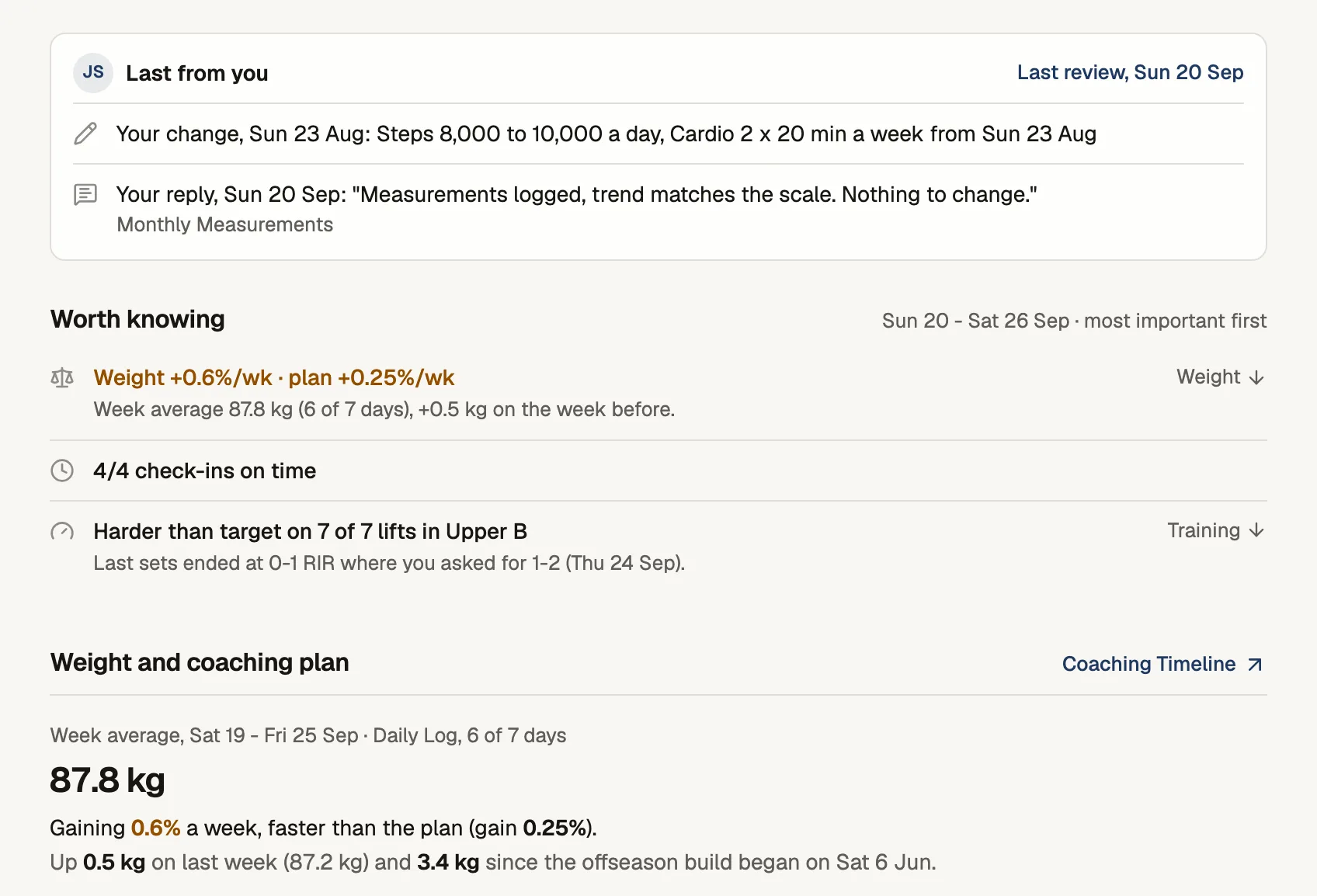
Their weight against the plan, the sessions they did, their daily answers, food and photos since the last check-in. You write your reply on the same screen, and "Mark reviewed and next" opens the next check-in.
They read your reply
It sits at the top of their app with your name on it until they open it.
Your name is on everything your clients see.
The app on their phone is named after your business and uses your logo, and your replies go out under your name. This is what John wrote Tom after their last check-in, and how it showed up on Tom's phone.
What John wrote


What Tom saw

They add the app from your invite link. It shows your business name and logo.
Talk them through their check-in instead of typing, up to 5 minutes.
Clients only see the questions and plans you've set up for them.
Switch messaging on for the clients you want to hear from between check-ins. It's off by default.
What you see when you review
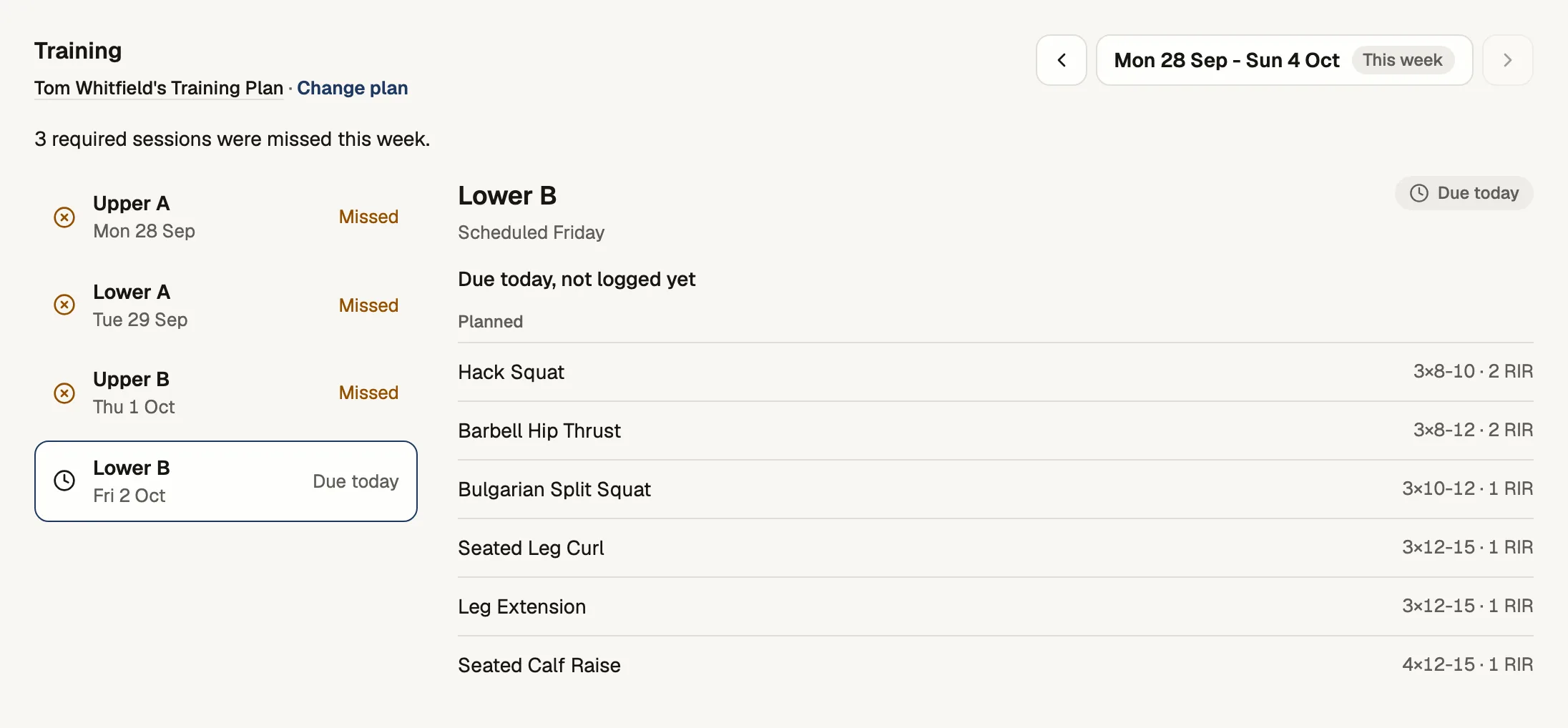
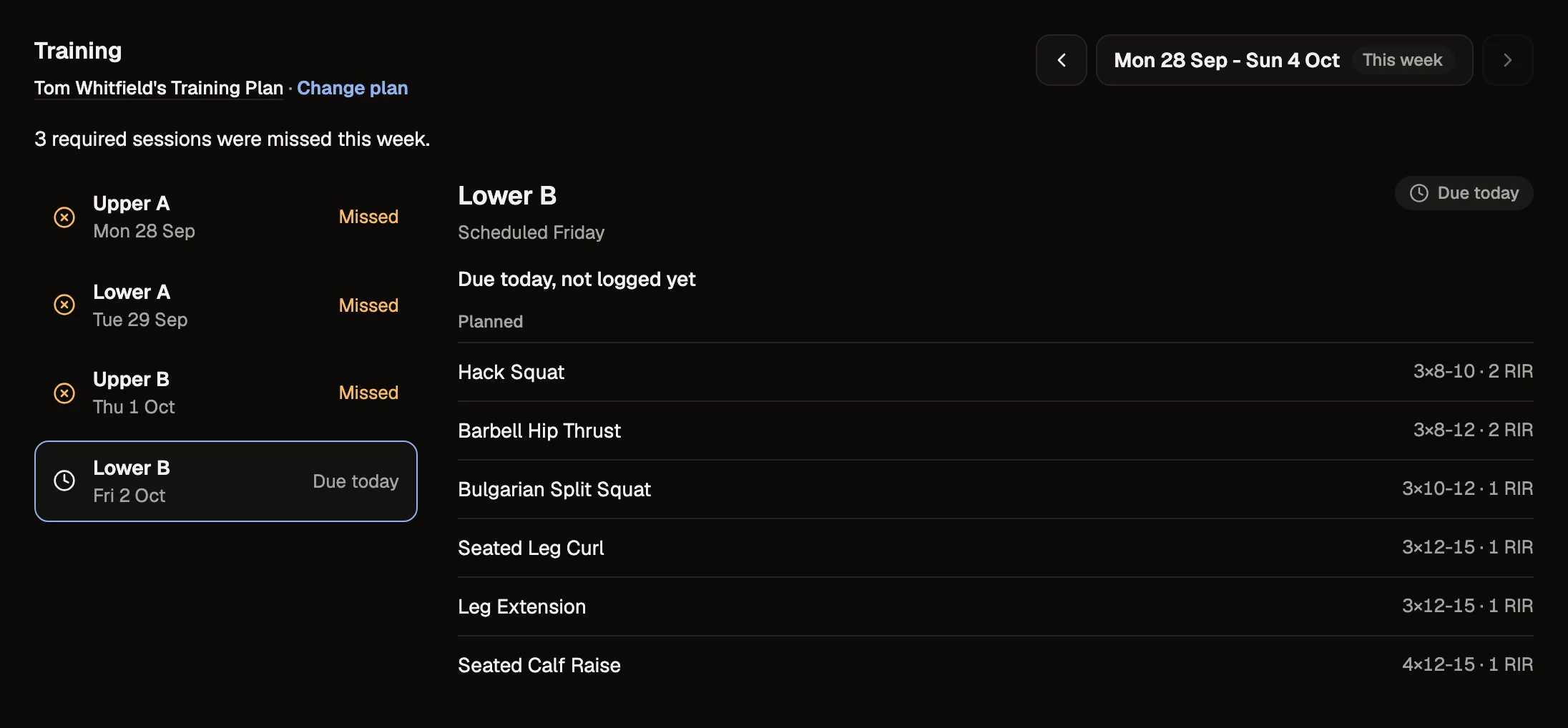
Training
Build programs with supersets, RIR or RPE, tempo and rest. When you review, you can see which sessions they did, what they lifted and anything they skipped.
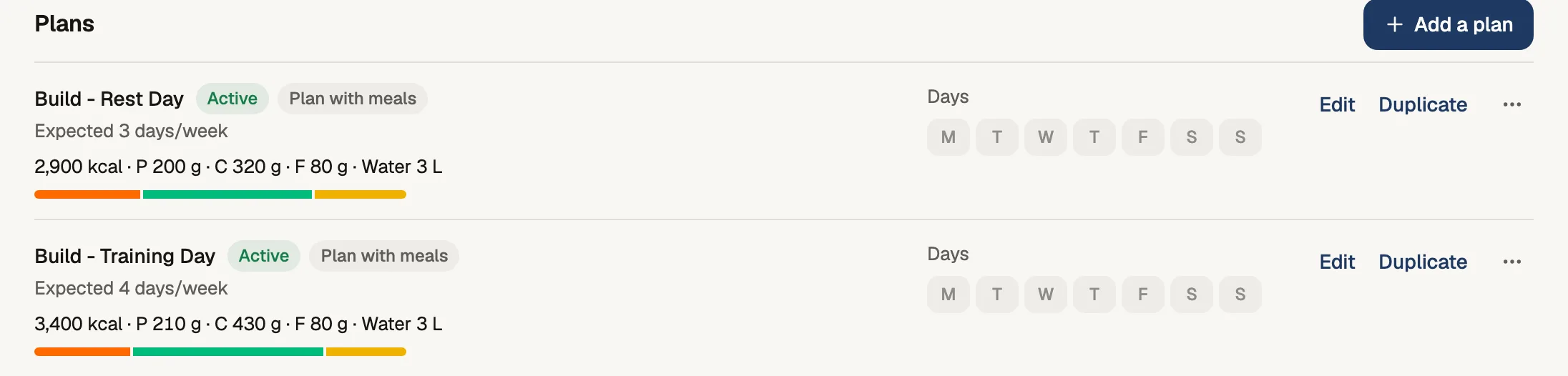
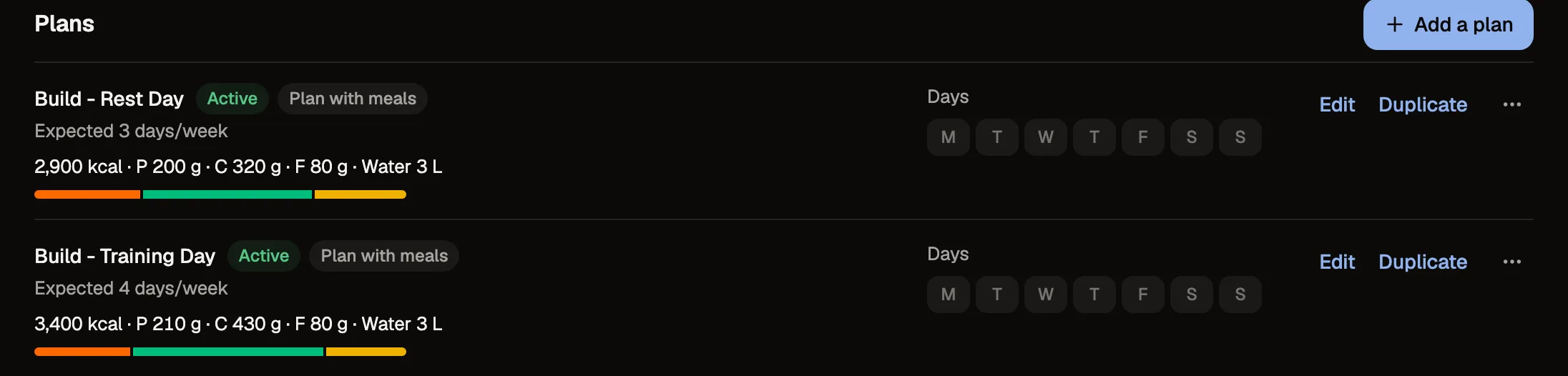
Nutrition
Give clients a meal plan with options to choose from, macro targets for training and rest days, or a plan they just tick off. If they log food, they can search or scan barcodes, and you see what they ate against the plan.
Bodyweight
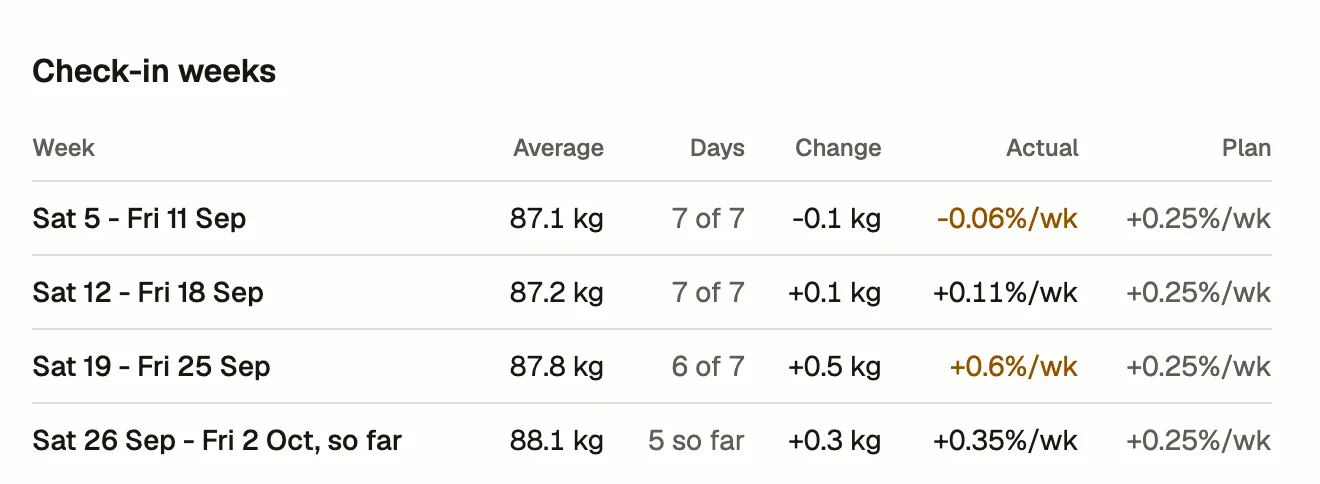
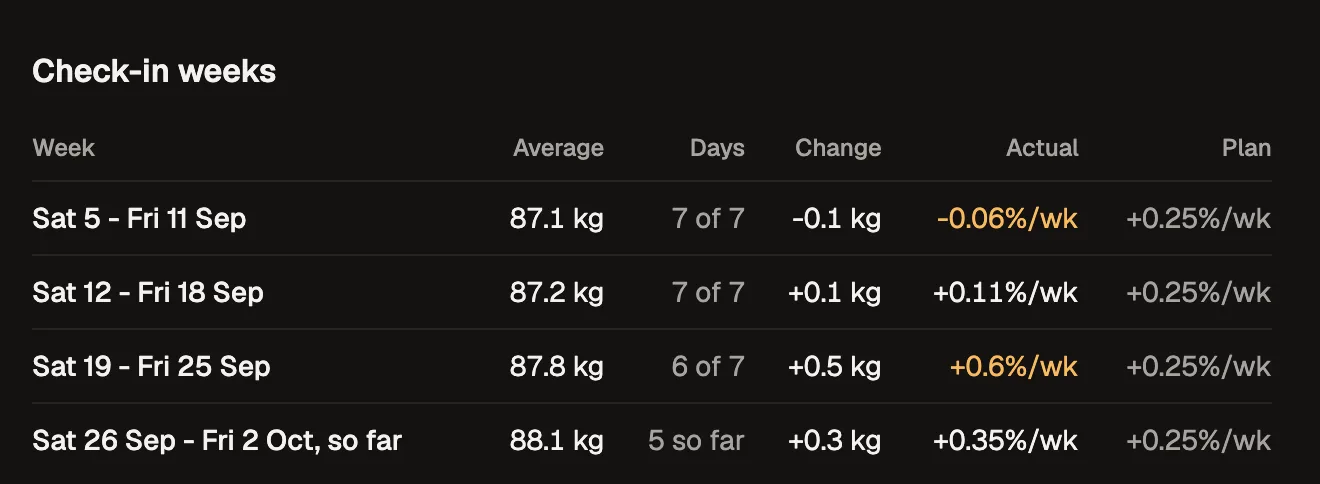
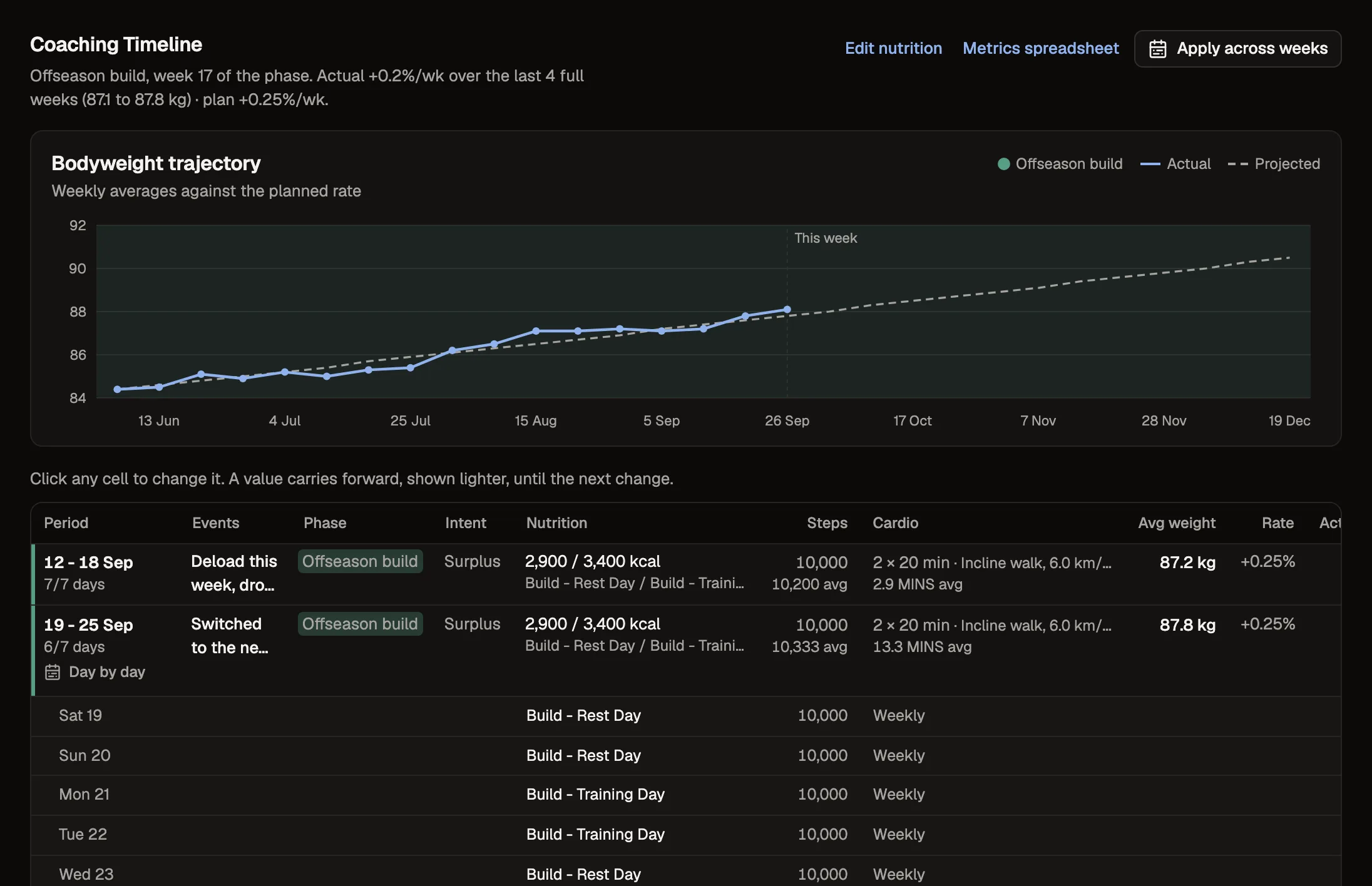
Set the phase and how fast you want them to move. If your check-ins ask for bodyweight, Tyzra averages it for each check-in week and shows it against your target rate.
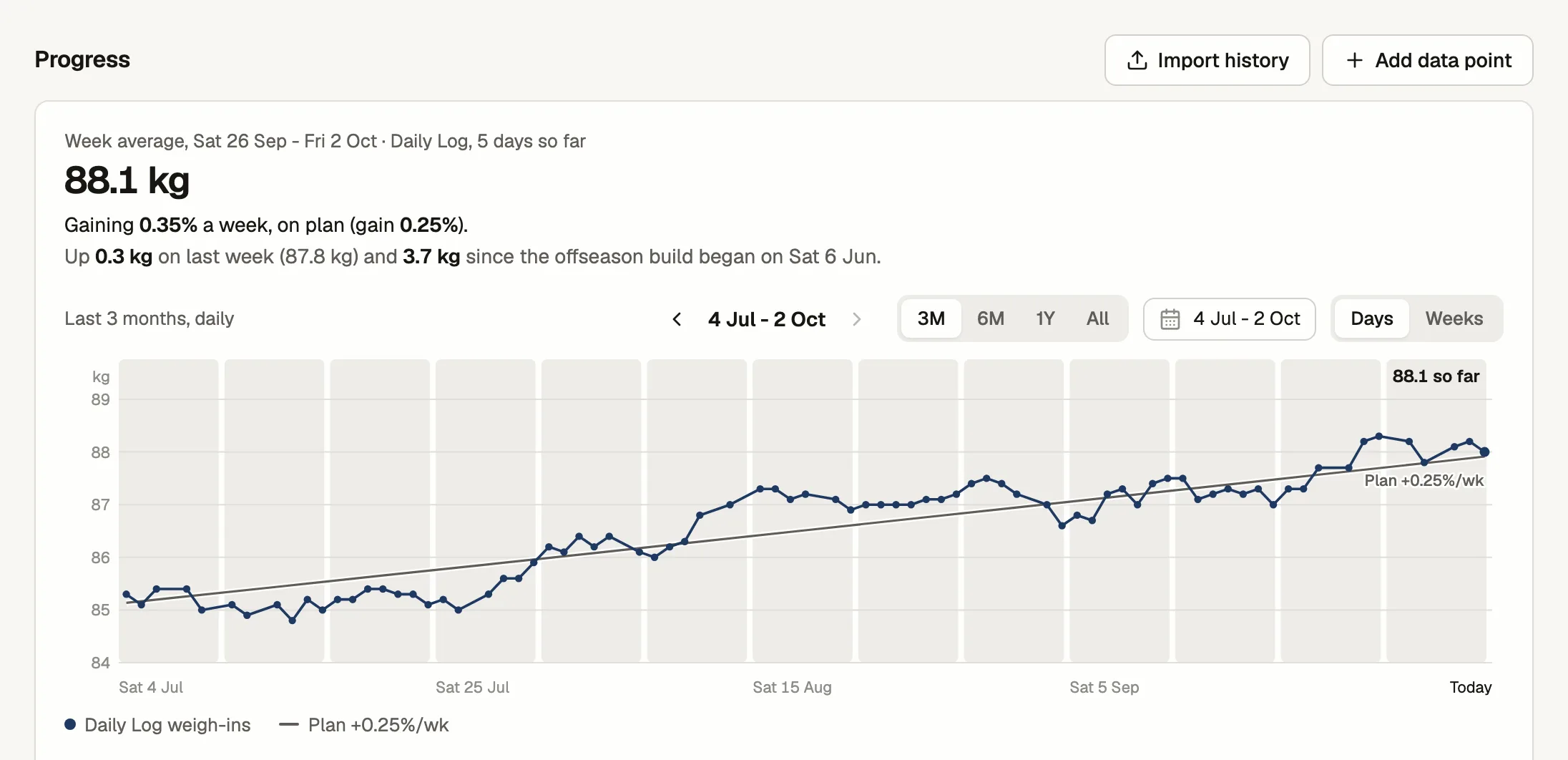
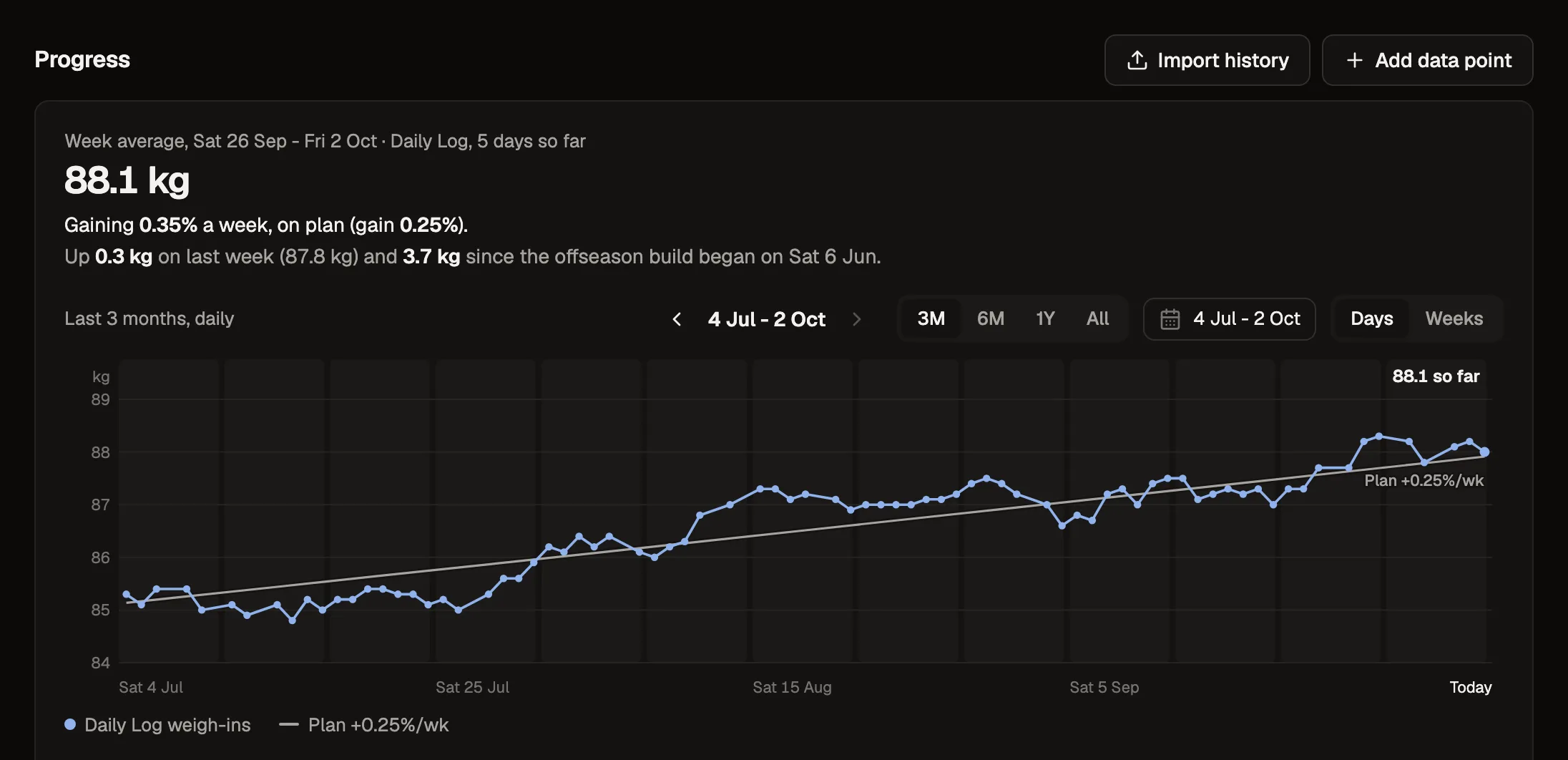
Next to the last check-in and the one from four weeks ago.
Daily or a few times a week. Clients can add their own too.
Their history, goals and signed agreements before they start.
Over 1,400 exercises to start from, plus your own with videos.
Save the things you say every week and drop them into a reply.
Clients get an email on the day a check-in is due, unless they've already sent it.
Sell your packages through Stripe. The money goes to you and we don't take a cut.
For clients on enhanced protocols, once they've given consent.
Coming from a spreadsheet?
If you keep a weekly tab for each client with their phase, calories, steps, cardio and average weight, the Coaching Timeline works the same way, one row per week. The difference is that the weight fills itself in from their weigh-ins, and the line shows where they should be at your target rate.
You can import each client's past weigh-ins, check-in answers, workouts and photos from the workbook you already have.
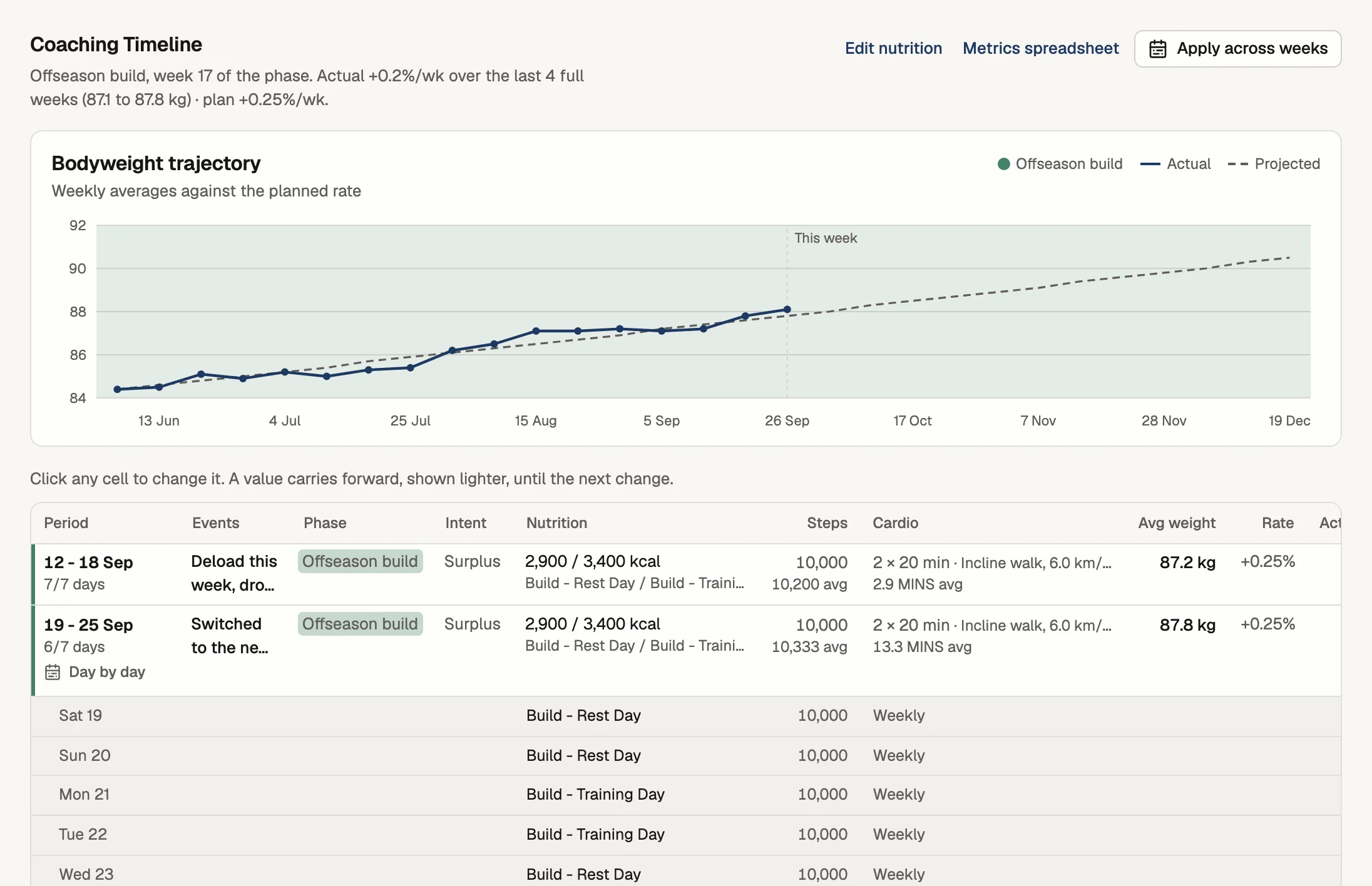
| Week | Avg wt | Change | Kcal train | Kcal rest | Steps | Cardio | Phase | Notes | |
|---|---|---|---|---|---|---|---|---|---|
| 2 | 1 Aug | 86.2 | 3,200 | 2,800 | 8,000 | None | Build | start | |
| 3 | 8 Aug | 86.4 | +0.2 | 3,200 | 2,800 | 8,000 | None | Build | |
| 4 | 15 Aug | 86.9 | +0.5 | 3,400 | 2,900 | 8,000 | None | Build | bump |
| 5 | 22 Aug | 86.7 | -0.2 | 3,400 | 2,900 | 8,000 | None | Build | wedding w/e |
| 6 | 29 Aug | 87.1 | +0.4 | 3,500 | 3,000 | 8,000 | None | Build | |
| 7 | 5 Sep | 87.0 | -0.1 | 3,500 | 3,000 | 8,000 | None | Build | hunger 4/5 |
| 8 | 12 Sep | 87.4 | +0.4 | 3,500 | 3,000 | 8,000 | None | Build | |
| 9 | 19 Sep | 87.8 | +0.4 | 3,500 | 3,000 | 8,000 | None | Build | |
| 10 | 26 Sep | ||||||||
| 11 | 3 Oct |
Pricing
Every plan has every feature. You only move up a plan when you take on more clients, and your clients never pay anything.
Up to 5 clients, no card
Up to 20 clients
Up to 50 clients
Unlimited clients
Paying yearly costs £15, £31 or £47 a month.
Questions coaches ask us
Do my clients need to download an app?
No. They open your invite link and add the app to their home screen, where it shows your logo. It works on iPhone and Android, and there's nothing to find in an app store.
Read the guide: Installing the client appIs it really free for 5 clients?
Yes. The Free plan has every feature, needs no card and doesn't run out. You only upgrade when you coach more than 5 clients.
Read the guide: Getting started as a coachI run everything in Google Sheets. Can I bring it with me?
Yes. You can import each client's check-in answers and weights, workouts, food logs and photos from your workbook, or send it to us and we'll import it for you. It's free while you're getting started.
Read the guide: Importing client historyI'm on another coaching app. Will you move me over?
Yes. Import the export from your current app yourself, or send it to us as a spreadsheet or PDF and we'll import it for you. You check each client before anyone is invited.
Read the guide: Importing client historyCan clients see my private notes?
No. They see your reply and action items. Private notes, coach-only calendar notes and private protocol notes are only ever shown to you.
Read the guide: Reviewing check-insDo I have to coach both training and nutrition?
No. Use the parts you coach. Clients only see the forms and plans you've set up for them.
Read the guide: Nutrition targets and meal plans