FeaturesThe client app
The client app
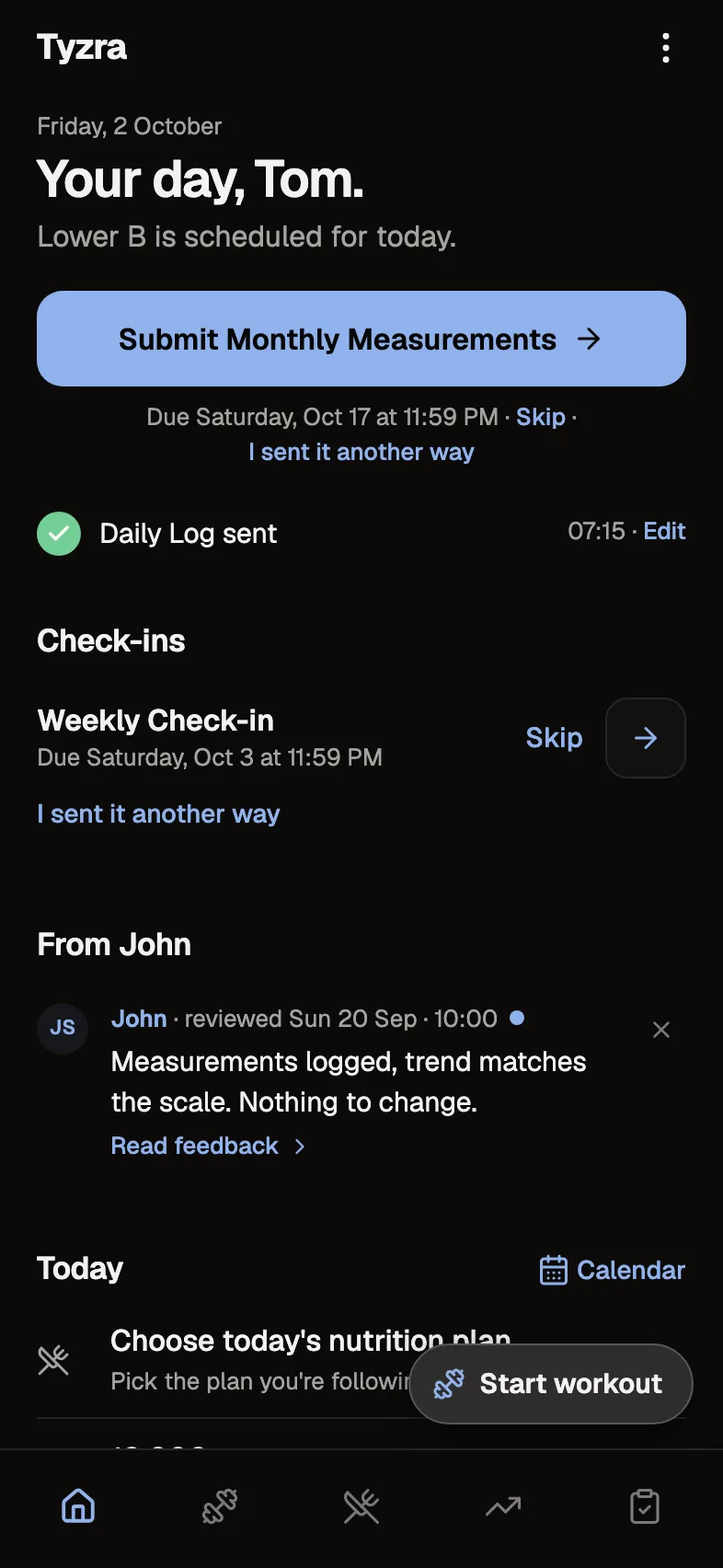
Clients open your invite and add the app to their home screen, with your logo as the icon. Home shows what's due today from the setup you gave them.
Where the app fits
- 1They open your invite
They set a password and add the app to their home screen.
- 2Home shows today
What's due, their session, the next meal and your latest reply.
- 3They send the week
Workouts, food, daily answers and check-ins, from their phone.
- 4Your reply arrives
It leads their Home with your name until they read it.
Added from your invite
The app installs from the browser. On the home screen it's named after your business with your logo as the icon, and it opens full screen like any other app.
Today, first
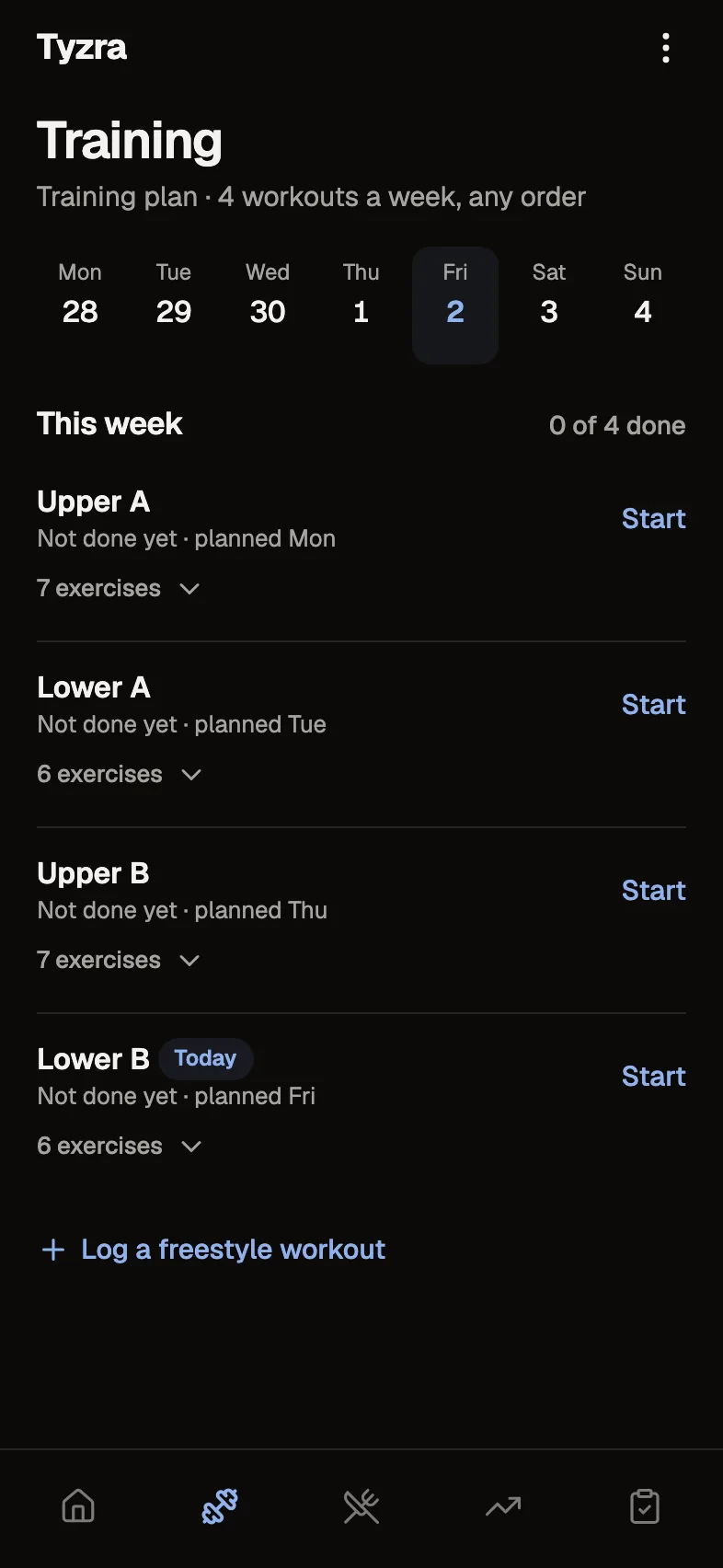
Home leads with what's due today: the daily log or check-in, the session, the next meal, and anything new from you. Training, Nutrition, Progress and Check-ins each have their own tab.
Only what you set up
Clients see the forms, plans and parts of the app you've set up for them. If you don't coach nutrition, there's no food log to fill in.
Built for patchy signal
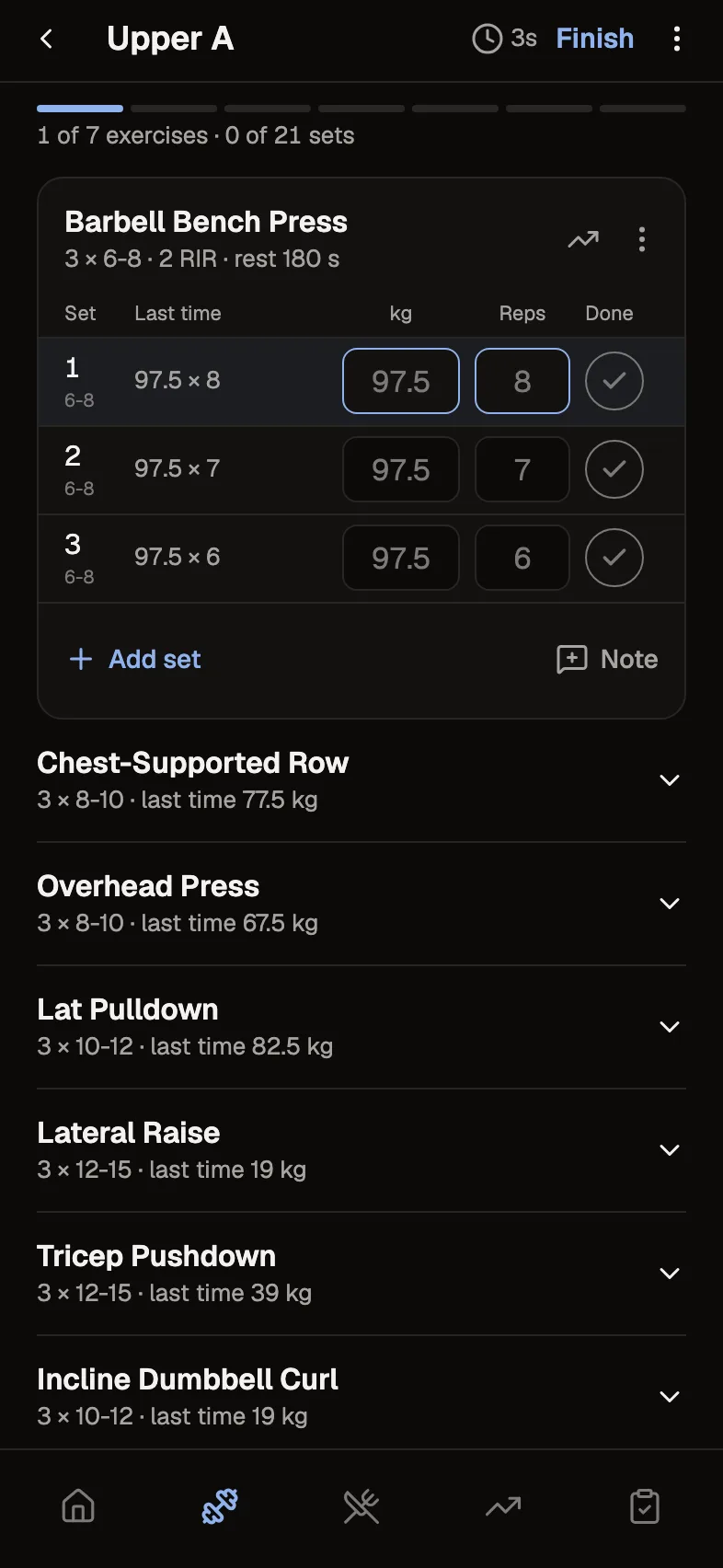
Workouts save on the phone first and sync when the connection returns. Check-in drafts save as they type.
The details
- Phones
- iPhone and Android, from the browser
- Your brand
- Your business name and logo on the home screen icon
- Tabs
- Home, Training, Nutrition, Progress and Check-ins
- Notifications
- Optional push notifications, and an inbox in the app
- Offline
- Workouts and check-in drafts are saved on the phone
Questions about the client app
Is there an App Store app?
No. Clients add the app to their home screen from the browser, and it opens full screen with your logo. There's no app store account to create.
Whose branding do clients see?
Yours. The home screen icon uses your logo and business name, and your replies carry your name.
Can clients sign up on their own?
No. Every client account starts from your invite, so nobody joins your roster without you adding them.
What happens if a client loses connection?
Workouts and check-in drafts are saved on the phone and sync when the connection comes back.
Try every feature free for 30 days.
No card and no client limit. After that, Free covers up to 2 clients.