FeaturesWorkout programming
Workout programming
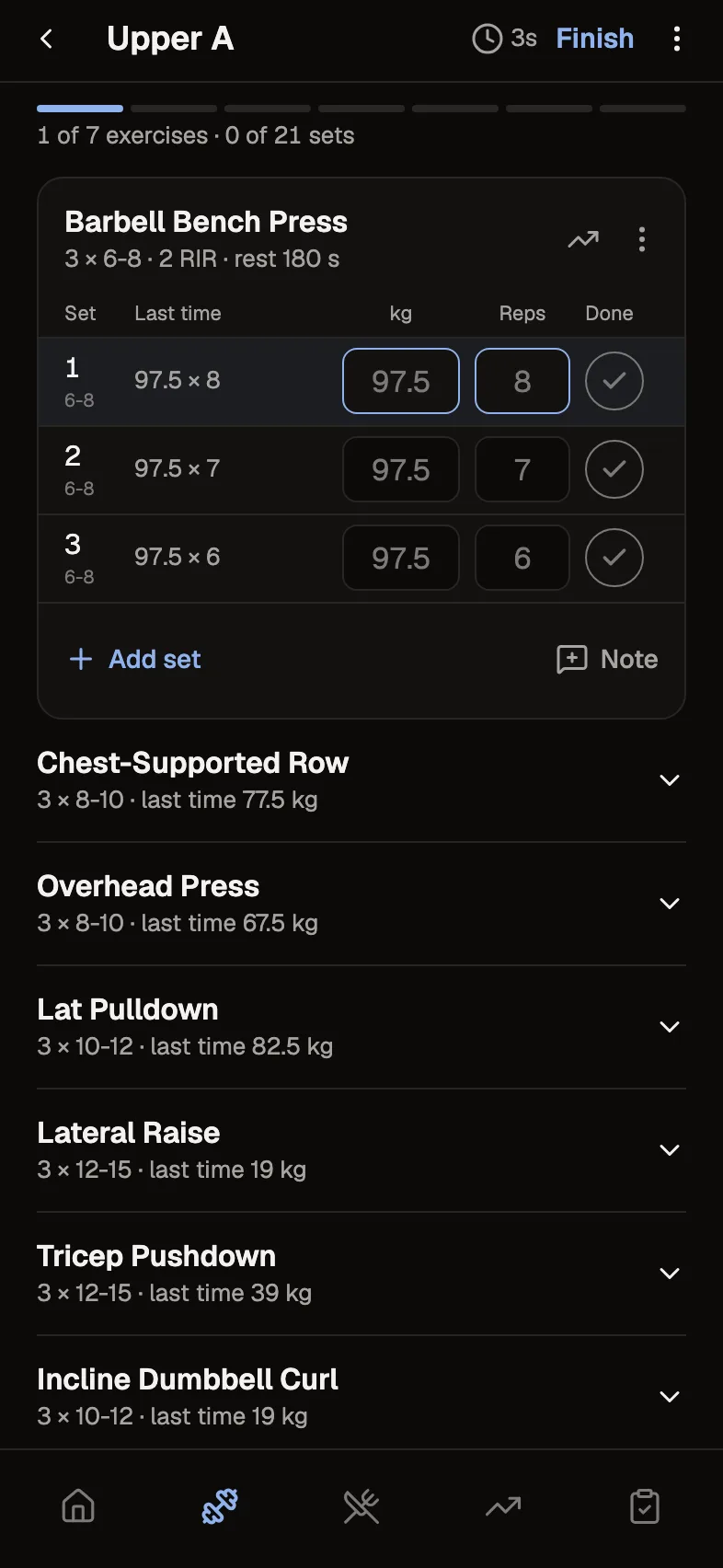
Build each client's program with the detail you coach with. They log every set on their phone, and you see what they did when they check in.
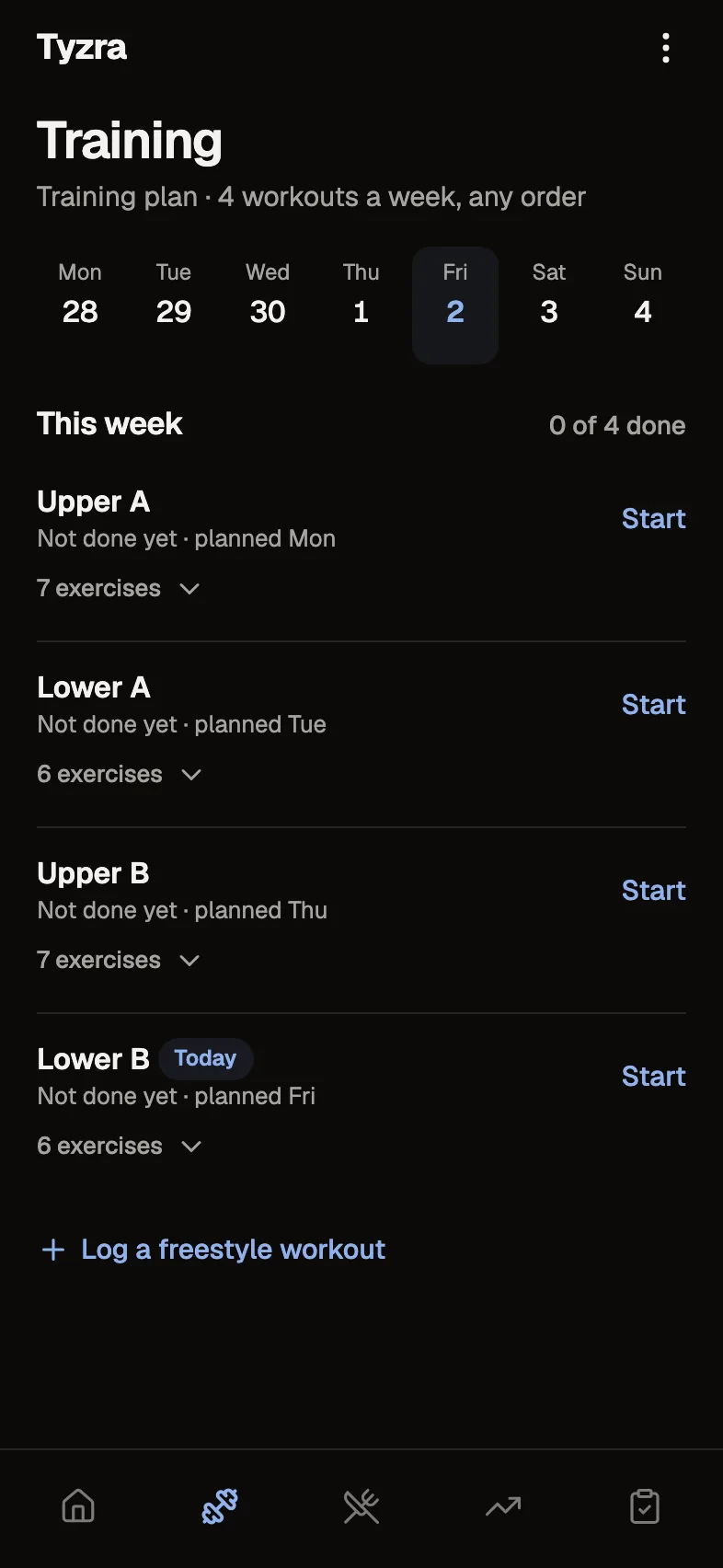
Where a workout shows up
- 1You build their plan
Start from a template, another client's plan or a blank week. The client's plan is the one they train from.
- 2They train
Each set shows what they lifted last time, and the rest timer starts from the rest you set.
- 3You see the week
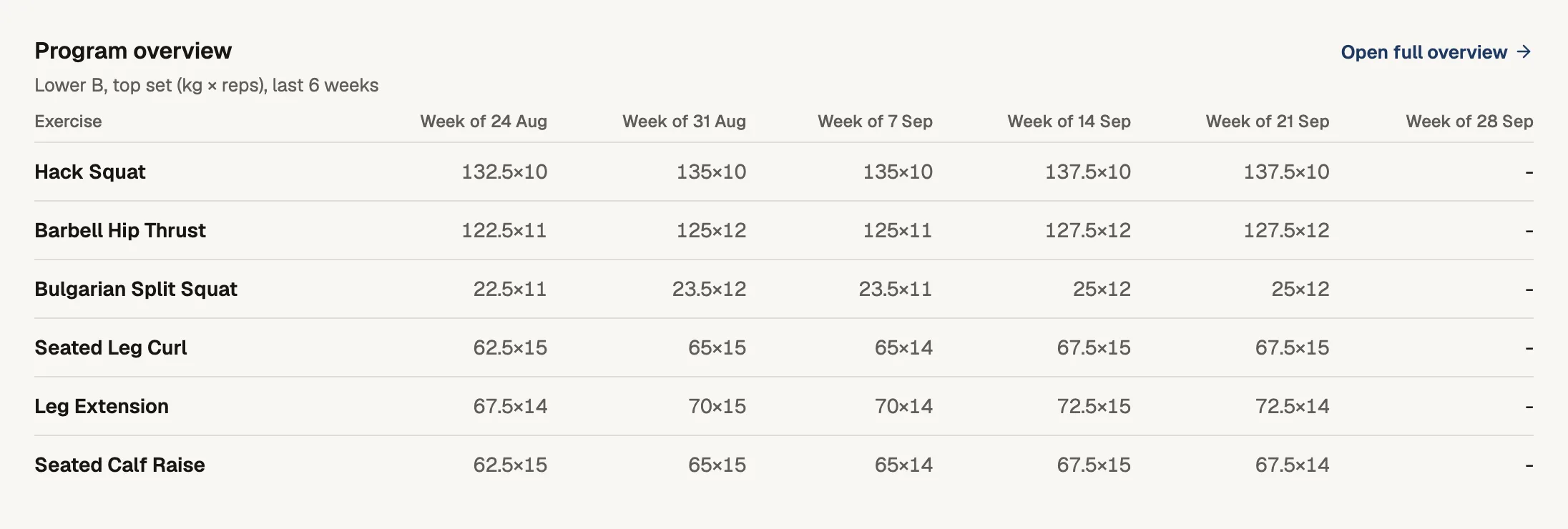
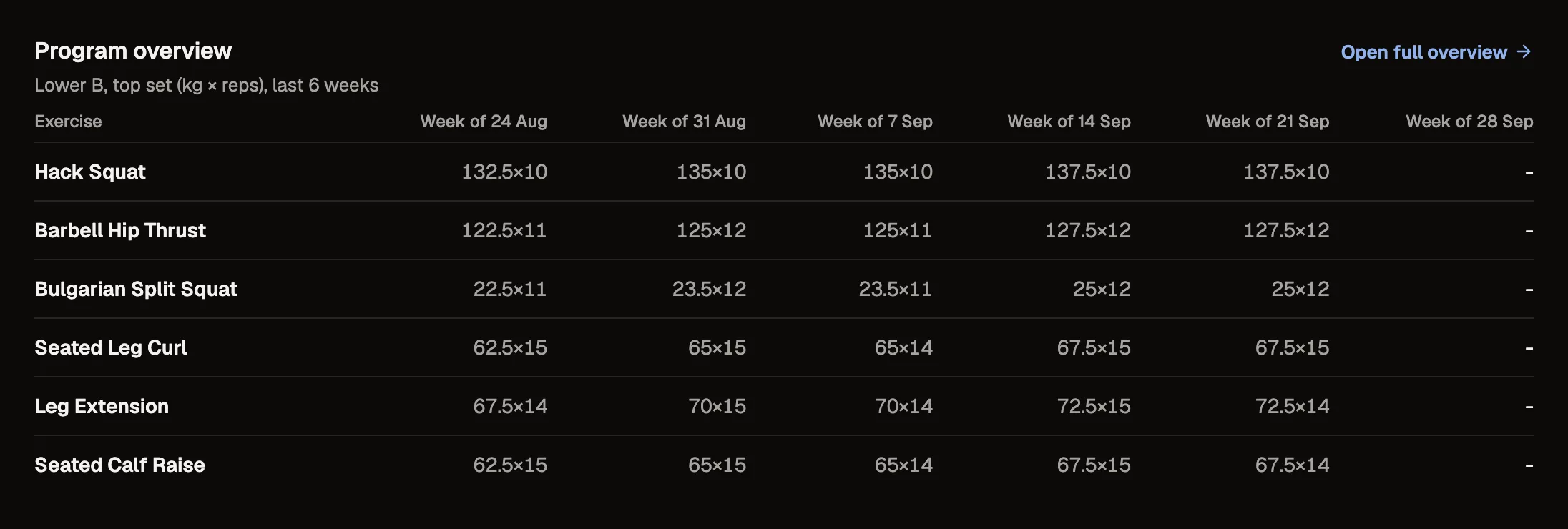
The review shows the sessions they did against the plan, and lifts that ran harder than you asked.
- 4You change the plan
Save a change quietly, or highlight it so they see what changed next time they open Training.
A plan with the detail you coach with
Up to 14 sessions in a plan, 30 exercises a session and 20 sets an exercise. Prescribe reps, weight, tempo, rest and an effort target as RIR or RPE, and group exercises into supersets, warm-ups and finishers.
Your exercise library
Every account starts with over 1,400 exercises, from barbell staples to machines by brand name. Add your own with coaching notes and a video demo link.
Logging on their phone
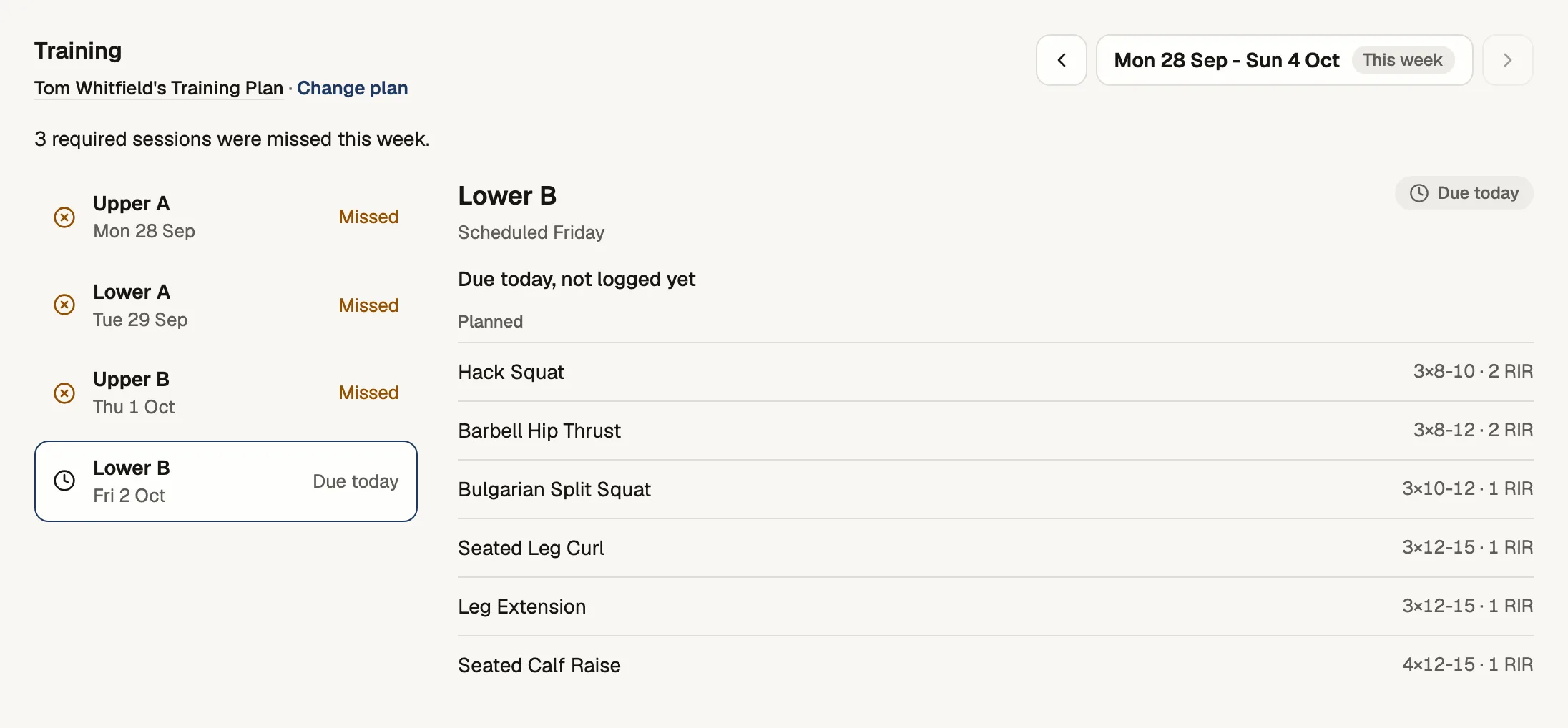
Clients open the session, see your prescription beside what they did last time, and log set by set. They can add up to 30 exercises of their own or log a freestyle workout, and you see both. A workout saves on the phone first and syncs when the signal comes back.
What you see
The check-in review lists the sessions they did in the days it covers, against the plan, with the lifts that ran harder than the target you set. Each client's Training tab has the week and every completed session.
The details
- Plan size
- Up to 14 sessions, 30 exercises a session, 20 sets an exercise
- Prescription
- Reps, weight, tempo, rest, and effort as RIR or RPE
- Groups
- Supersets, warm-ups and finishers
- Library
- Over 1,400 default exercises plus your own, with video links
- Client additions
- Up to 30 added exercises a session, and freestyle workouts
- Offline
- Workouts save on the phone first and sync afterwards
Questions about workout programming
Do you support RIR and RPE?
Yes, both. Choose the scale you coach with and set effort targets in it. If you set no targets, clients aren't asked for effort.
If I edit one client's plan, does it change anyone else's?
No. Each client trains from their own plan. Templates are starting points, and editing one only changes plans you start from it later.
Can clients add their own exercises?
Yes. They can add up to 30 to a session, or log a freestyle workout, and you see what they added.
What happens if a client loses signal mid-workout?
The workout saves on their phone first and syncs when the connection comes back, even after a refresh.
Try every feature free for 30 days.
No card and no client limit. After that, Free covers up to 2 clients.